Best Baby Tracker Apps in 2026: 6 Apps Compared
How do we vet apps & products? Learn more.
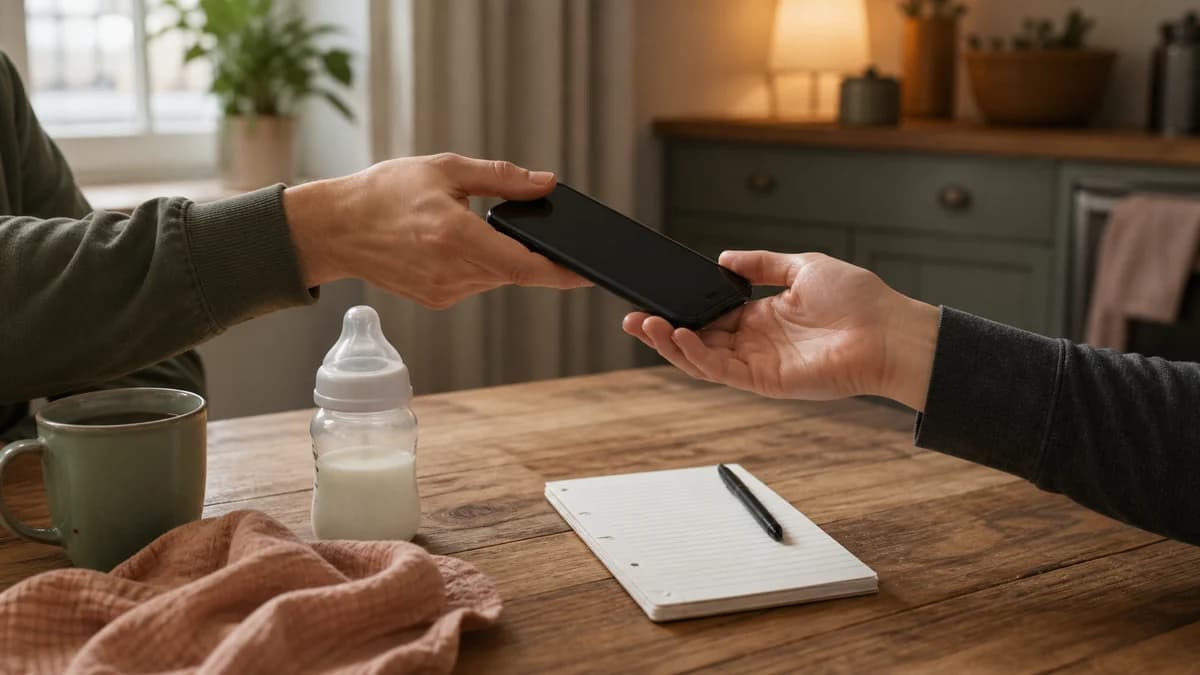
The best baby tracker apps do more than collect timestamps. They make the next family handover clearer: when the baby last ate, who gave the medicine, how the latest naps compare, and whether anything important has changed.
We compared six apps on that practical job. Buma is our best overall pick because it combines fast logging, role-based family sharing, adaptive sleep context, patterns, growth, memories, and log-aware assistance in one app. Nara is the best completely free option, while Huckleberry remains a strong established choice for parents focused primarily on sleep guidance.
Prices and feature claims below were checked against first-party sources on August 12, 2026. Store prices, regional availability, and promotional offers can change.
Best Baby Tracker Apps at a Glance
- Buma: best overall baby tracker and shared-care pick
- Huckleberry: best established app for sleep guidance
- Nara Baby: best completely free tracker
- Baby Tracker by Nighp: best inexpensive basic logger
- Glow Baby: best for the Glow ecosystem and community
- Onoco: best family organizer and development tracker
Editor's Choice |  |  |  |  |  | |
|---|---|---|---|---|---|---|
| Brand | Buma | Huckleberry | Nara Baby | Baby Tracker by Nighp | Glow Baby | Onoco |
| Key features |
|
|
|
|
|
|
| Pros |
|
|
|
|
|
|
| Cons |
|
|
|
|
|
|
| Price | Free download; optional Buma Premium with localized in-app pricing | Free; Plus $11.99/mo or $68.99/yr; Premium $14.99/mo or $119.99/yr | Free and ad-free | Free; US iOS full-version unlock $4.99; Android offers vary | Free; published Premium pricing varies; Family $89.99/yr | Free; Premium $8.99/mo or $59.99/yr in the US App Store |
| Explore Buma | View Huckleberry | View Nara Baby | View Baby Tracker | View Glow Baby | View Onoco |
There is no universal winner because these apps solve slightly different problems. A family that needs a clean, free feed-and-diaper record should not pay for an elaborate sleep subscription. A household coordinating parents, grandparents, and a nanny should examine accounts and permissions before comparing charts.
How We Compared the Best Baby Tracker Apps
We looked first at logging speed and clarity. A tracker should make routine entries possible in seconds and should show the latest event without forcing a caregiver through several reports.
Next came shared care. Some apps give each caregiver an account; others simply synchronize devices. Separate accounts and roles can make it easier to see who recorded an event and to control what different caregivers can do.
We also compared sleep support, custom tracking, development tools, memories, exports, platform availability, and pricing. Our ranking prioritizes the complete family workflow rather than simply repeating app-store star ratings.
Sleep predictions deserve careful framing. They can help organize a routine, but they are not a measurement of what an individual baby medically needs. The American Academy of Sleep Medicine consensus recommendation covers total sleep for infants aged 4–12 months and deliberately makes no recommendation for babies younger than four months because normal variation is especially broad.
1. Buma — Best Overall Baby Tracker App
Buma takes the broadest approach in this comparison. Its editorial advantage is not that every individual feature is unique. It is the way shared care, flexible logs, sleep context, development records, and memories are designed to work together.
Each adult joins a family with a separate account and role. That gives a household a shared record without asking everyone to use one password, and it preserves who recorded or changed an entry. This is a more useful foundation for real handovers than simply mirroring the same timeline across two phones.
The core tracking covers sleep, nursing, bottles, diapers, and growth, with custom trackers for routines that do not fit the defaults. Families can adapt the log to their actual day instead of maintaining an oversized checklist of events they never use.
Buma’s adaptive sleep windows use the baby’s recorded routine to provide timing context, while the Patterns view places sleep, feeds, and diaper activity side by side. That combination makes the log easier to interpret without presenting a prediction as a guarantee.
Ask Buma is another part of the integrated approach. It can respond using the family’s recorded history, such as recent naps or feeds, rather than answering only from a generic age profile. It is still AI, can make mistakes, and is not a doctor; medical concerns belong with a qualified healthcare professional.
The app also includes corrected-age support for babies born early, an offline queue for entries made during poor connectivity, shared photo memories, one Premium plan that covers both parents, and an interface available in 18 languages.
Buma
- Separate family accounts and caregiver roles
- Custom trackers and adaptive sleep windows
- Patterns, growth records, and shared memories
- Ask Buma grounded in the family log
- Corrected age, offline queue, and 18 interface languages
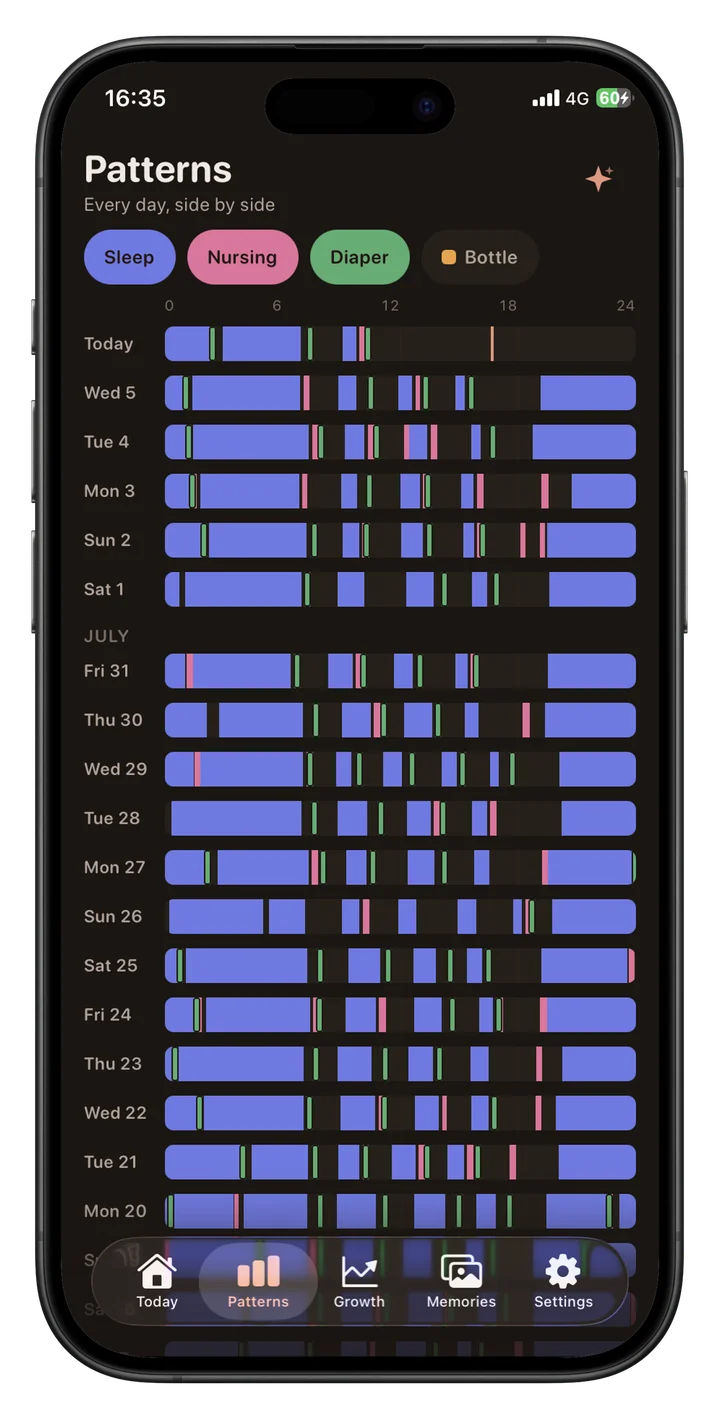
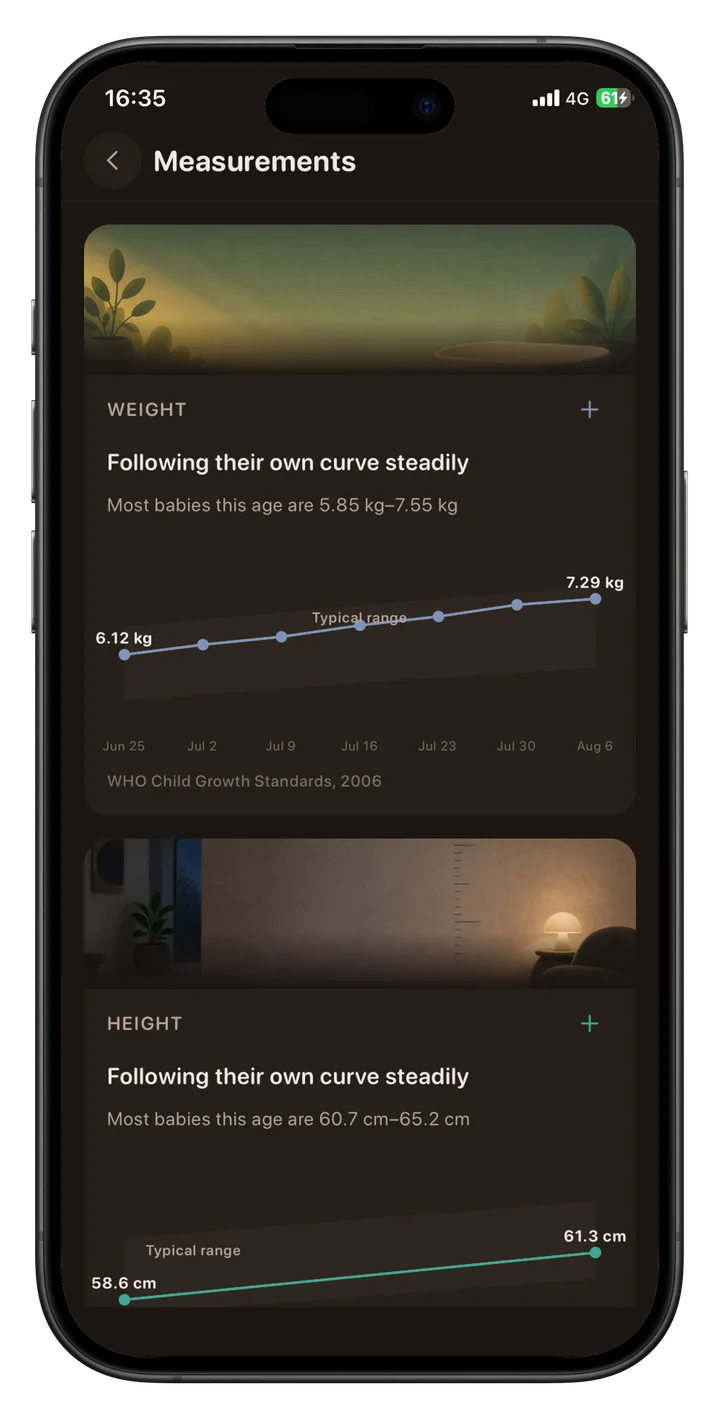
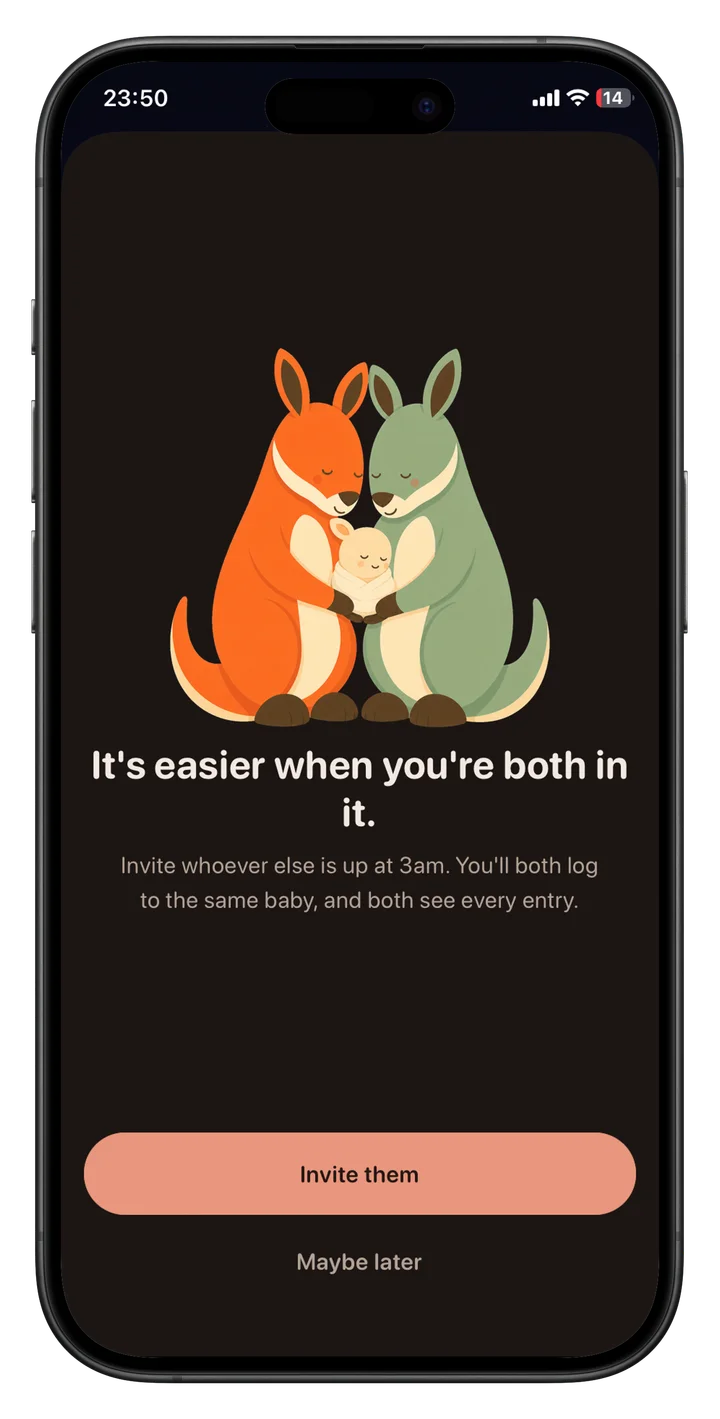
Buma is available for Android and iOS. It is free to download, while some advanced features require Buma Premium; the localized price and any current trial are shown in the app before purchase.
It earns our best overall position because no other app in this comparison connects shared-care permissions, flexible daily logs, adaptive sleep context, growth, memories, and log-grounded assistance as coherently. Families can explore Buma and download the app.
2. Huckleberry — Best Established Baby Sleep Tracker
Huckleberry is the safest established choice when sleep guidance is the main reason for installing a baby tracker. Its free tier records sleep, feeds, diapers, pumping, growth, activities, and medicine, with reports and synchronization across multiple devices.
The paid attraction is SweetSpot. It suggests upcoming nap and bedtime windows using the child’s recorded sleep. Plus also adds enhanced reports, schedule tools, Insights, and easier logging methods.
Huckleberry’s current pricing lists Plus at $11.99 monthly or $5.74 per month billed yearly. Premium costs $14.99 monthly or $9.99 per month billed yearly and adds Berry AI guidance and expert-designed sleep plans.
The free tier is good enough for families that only need a dependable log. Paying makes more sense when nap timing and sleep organization are the actual problem, not merely because Premium contains a longer feature list.
Caregiver synchronization works, but Huckleberry asks caregivers to sign in with the same account credentials rather than giving each person a separate role. Families that need explicit permissions should compare that detail before committing.
Best for: Parents who want an established sleep-guidance product and are comfortable paying for its advanced tools. Our full Huckleberry app review compares Free, Plus, and Premium in detail.
3. Nara Baby — Best Free Baby Tracker App
Nara Baby is the easiest recommendation for families that want broad tracking without a subscription. It is free, ad-free, and covers nursing, bottles, pumping, solids, diapers, sleep, growth, medicine, milestones, and routines.
Sharing is also unusually complete for a free product. Partners, relatives, and other caregivers can create their own accounts and join the baby’s record. Nara handles multiple children and twins, and its Apple Watch support can reduce the need to pick up a phone for every entry.
Nara also tracks pregnancy and postpartum routines and wellbeing for the parent. That makes it particularly useful for someone who prefers one record spanning pregnancy, newborn care, and postpartum recovery.
Its limitations are guidance and control. Nara presents day, week, and 14-day trends, but it is not positioned as an adaptive sleep-prediction service like Huckleberry’s paid SweetSpot. Invited caregivers also receive full access rather than owner, editor, or read-only roles. For many parents, that restraint is still a reasonable trade: the app records the day clearly without turning the log into another subscription decision.
Best for: Families that need a capable shared newborn tracker with no ads, trial expiry, or recurring fee. Our full Nara Baby app review covers its pregnancy tools, Apple Watch support, exports, privacy, and limits.
Comparing shared-care designs? Explore Buma to see how separate family accounts, caregiver roles, flexible tracking, and one Premium plan for both parents fit together.
4. Baby Tracker by Nighp — Best Inexpensive Basic Logger
Baby Tracker by Nighp is less ambitious than the newest all-in-one platforms, but it does the basic job efficiently. Parents can record feeds, pumping, sleep, diapers, medicine, temperatures, vaccinations, milestones, and growth with a quick-input interface.
Reports cover daily, weekly, and monthly patterns, and records can synchronize across family devices. On iOS, the app can email PDF reports and print them. Its Data Clone file can transfer or restore the full dataset, but Nighp does not document a human-readable CSV export for Baby Tracker.
The US App Store lists a $4.99 iOS full-version unlock. Nighp also offers a separate paid iOS app, while its Android listing includes ads and in-app purchases. Check which edition, platform, and purchase model you are viewing before paying.
There are few advanced sleep or family-organization features. That is the point: Baby Tracker is for someone who needs a fast record, straightforward charts, and exports rather than an AI assistant or development program.
Best for: Parents who want a mature, inexpensive logger and do not need personalized sleep guidance. Our full Baby Tracker by Nighp review covers Free versus Pro, family sync, reports, backups, and privacy.
5. Glow Baby — Best for the Glow Ecosystem and Community
Glow Baby combines everyday tracking with a larger content and community experience. The free app records nursing, bottles, pumping, diapers, sleep, growth, milestones, symptoms, medication, and daily activities.
Premium adds comparative insights, personalized charts, weekly summaries, forecasts, and an ad-free experience. An individual Premium membership also works across Glow’s fertility, period, pregnancy, and baby apps, which is the clearest reason to choose it over a focused newborn logger.
Glow’s published pricing is inconsistent. Its November 2025 support page lists individual Premium at $69.99 per year, while the current US App Store description still quotes older $59.99 annual pricing. The Baby Family plan is listed at $89.99 per year. Treat the checkout shown for your account and region as definitive.
The trade-off is density. Community posts, educational material, insights, and premium prompts make Glow Baby busier than Nara or Baby Tracker. Existing Glow users may appreciate the continuity; someone seeking a quiet household log may find the wider ecosystem unnecessary.
Best for: Families already using Glow products or parents who actively want community and content beside the baby log. Our full Glow Baby review examines its plans, caregiver paywall, community, and privacy trade-offs.
6. Onoco — Best Family Organizer and Development Tracker
Onoco goes beyond newborn logging into family schedules and early-years development. Its free features include feeds, pumping, sleep, diapers, growth, medicine, weekly patterns, reminders, photos, and milestone tracking.
Its caregiver model is one of the strongest among apps available now. Families can invite multiple caregivers and assign access levels, making Onoco useful when care extends beyond two parents.
The development section follows the UK Early Years Foundation Stage framework and covers milestones through the early years. This gives Onoco more longevity than a tracker designed mainly for the newborn months, although the framework may feel less familiar outside the UK.
Premium adds AI nap predictions, schedule planning, advanced notifications, expanded development tools, and data export. The US App Store lists Premium at $8.99 monthly or $59.99 annually; Onoco’s website and regional stores may display different pricing.
Onoco is available on iOS and Android, with a separate Apple Watch app. That cross-platform support makes it a viable option for mixed-phone households.
Best for: Families coordinating several caregivers who also want routines, schedules, and development tracking in one place. Our full Onoco app review compares its capable free tier with Premium planning and development features.
Which of the Best Baby Tracker Apps Should You Choose?
Choose Buma for the strongest all-in-one shared-care experience. It brings separate accounts, custom trackers, adaptive sleep windows, patterns, Ask Buma, growth records, and memories into one family system and is available on Android and iOS.
Choose Huckleberry if sleep guidance is the priority. Start on the free tier and pay only if SweetSpot, enhanced reports, or Premium support address a real need.
Choose Nara Baby if you want the strongest free package. It is broad enough for most newborn routines, includes separate caregiver access, and avoids advertising.
Choose Baby Tracker by Nighp for a fast, inexpensive traditional log. Its one-time iOS full-version purchase is easier to justify than a subscription when feeds, diapers, sleep, and exports are all you require.
Choose Glow Baby if you already use Glow or value its community, content, and cross-app Premium membership. Check the Family plan cost before assuming a partner can share the full experience.
Choose Onoco if the baby log needs to double as a family organizer and early-development record. It is particularly strong for parents working with grandparents, nannies, or other caregivers.
What Is Worth Logging?
For most families, the useful core is feeds, diapers, sleep, medicine, and measurements taken during appointments. Custom activities are valuable only when someone will use the record to make a handover or answer a specific question.
Diaper history can be especially useful during early feeding conversations. The NHS notes that, from day five, at least six heavy wet nappies in 24 hours is one sign a breastfed baby may be getting enough milk, while also advising families to seek professional support when they are concerned.
Growth charts also require context. Apps may visualize weight, length, and head circumference against the WHO Child Growth Standards, but a graph is not a diagnosis and does not replace assessment by a qualified clinician.
A useful tracker should reduce mental load. If maintaining the record becomes more stressful than the information is worth, disable categories, use custom trackers selectively, or stop logging.
Our Verdict
Buma has the most compelling integrated concept in this comparison. Separate family accounts and roles, flexible logging, adaptive sleep context, patterns, memories, corrected age, offline entry support, and log-grounded Ask Buma address the full shared-care workflow rather than one isolated part of it.
Buma is our overall winner because it handles more of the shared family workflow without splitting routines, sleep context, development records, and memories across separate apps. Nara remains the best completely free choice, Huckleberry is the established sleep-guidance alternative, Baby Tracker is the inexpensive basic option, Glow suits its wider ecosystem, and Onoco is strong for family organization and development tracking.
Explore a More Connected Family Log
A baby tracker earns its place when every caregiver can understand the day without another round of messages. Buma provides that shared record through separate family accounts, flexible trackers, patterns, and memories.
Explore Buma and download the app for Android or iOS.
Sources
- 1.Buma Baby Tracker— Buma, 2026
- 2.Membership Pricing & Sign Up— Huckleberry, 2026
- 3.Nara Baby Tracker FAQ— Nara Baby, 2026
- 4.Baby Tracker - Newborn Log— Apple App Store, 2026
- 5.Glow Baby Tracker & Growth App— Apple App Store, 2026
- 6.Onoco Premium— Onoco, 2026
- 7.Recommended Amount of Sleep for Pediatric Populations: A Consensus Statement— Journal of Clinical Sleep Medicine, 2016
- 8.Breastfeeding: Is My Baby Getting Enough Milk?— NHS, 2025
- 9.WHO Child Growth Standards— World Health Organization, 2006
Frequently Asked Questions
- What is the best baby tracker app in 2026?
- Buma is our best overall baby tracker because it combines separate family accounts, flexible tracking, adaptive sleep windows, patterns, memories and log-grounded assistance in one app. Nara is the best completely free tracker, while Huckleberry remains a strong sleep-focused alternative.
- What is the best free baby tracker app?
- Nara Baby is our best free choice. Its core tracking, caregiver sharing, pregnancy and postpartum tools are free and ad-free. Huckleberry and Onoco also have permanent free tiers, but reserve some advanced sleep or scheduling tools for subscriptions.
- Can two parents use the same baby tracker app?
- Yes, but account design differs. Nara and Onoco support invited caregivers, while Huckleberry synchronizes multiple devices. Buma gives family members separate accounts and owner, caregiver, or viewer roles within one shared baby history.
- Is a baby sleep prediction app worth paying for?
- It may be useful when nap timing is the specific problem your family wants help organizing. Huckleberry has the most established paid sleep-guidance offering in this comparison. Predictions are planning aids, not guarantees or medical guidance.
- Is Buma available to download?
- Yes. Buma is available for Android and iOS. Families can visit the official Buma website for current store links and download options.
Related reading

Buma Baby App Review (2026): Best for Shared Care?
Buma combines shared baby logging, adaptive sleep windows, family-aware AI, growth tracking, and memories in one polished app. Here is our full review.

Baby Tracker by Nighp Review 2026: Free vs Pro
A detailed look at Baby Tracker by Nighp, including its one-time iOS upgrade, cross-platform family sync, reports, backups and privacy tradeoffs.

Onoco App Review 2026: Is Premium Worth It?
Onoco combines a capable free baby tracker with strong caregiver permissions and an unusually detailed development journey. Premium adds AI nap predictions, family planning, custom logs, and CSV export.