Nara Baby App Review 2026: Is This Free Tracker Worth It?
How do we vet apps & products? Learn more.
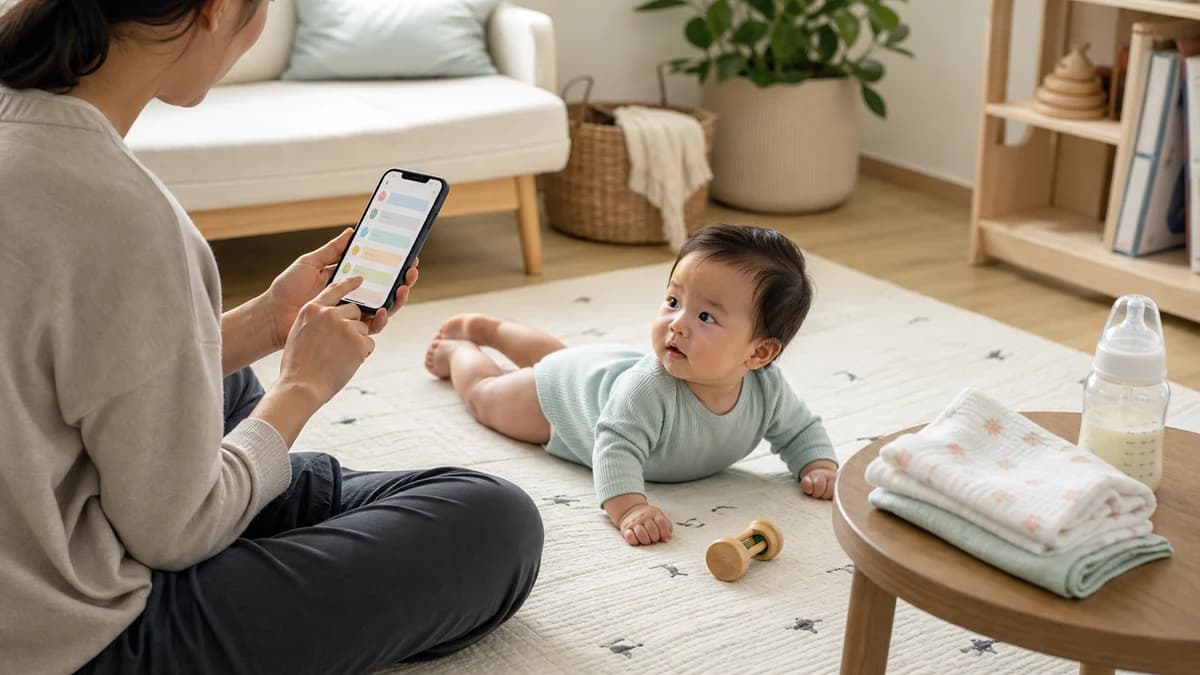
Most baby trackers begin with a free download and end at a subscription screen. Nara takes a simpler route: the entire tracker is free, there are no advertisements, and there are no in-app purchases.
That makes the central question in this Nara Baby app review unusually straightforward: does it provide useful everyday logging without holding important tools behind a paywall?
Based on the current app listings, official documentation, and privacy materials, Nara is among the strongest fully free baby trackers available in 2026. It covers the baby’s routine, the parent’s pregnancy and postpartum experience, multiple children, caregiver coordination, Apple Watch, and data export. Its limitations are equally clear: short trend history, basic user-configured sleep tools, and no predictive or AI layer.
This is an independent assessment of documented functionality. It does not claim months of first-hand household use, and we have not assigned a numeric editorial rating.

Nara Baby & Pregnancy Tracker
- Sleep, nursing, bottle, pumping, solids, diaper, medicine, growth, milestone, and routine tracking
- Pregnancy and postpartum health and self-care logs
- Separate caregiver accounts sharing one family history
- Support for multiple children, twins, and multiple families
- Apple Watch, Siri, and iPhone Live Activities support
- User-configured wake-window and fixed-time nap reminders
- WHO-based growth charts
- CSV data export
What Nara Baby Tracks
Nara covers nearly every routine category a family is likely to need during infancy.
Feeding tools include separate timers for breastfeeding sides, bottles with milk type and amount, pumping, and solids. Diaper entries can distinguish wet, dirty, mixed, or dry diapers and record details such as a rash.
Sleep can be entered with a timer or added afterward using start and end times. Families can also log medicine, vaccinations, growth, milestones, routines, notes, and photos. Unneeded activities can be hidden from the tracking screen.
Nara’s growth section records weight, length or height, and head circumference. Its FAQ says the charts use WHO Child Growth Standards. Growth charts remain reference tools rather than diagnoses; concerning changes belong with a qualified pediatric professional.
| Price | Free |
| Ads | None |
| In-app purchases | None |
| Platforms | iPhone, Apple Watch, and Android |
| Caregiver sharing | Separate accounts with full access |
| Multiple children and twins | Supported |
| Parent tracking | Pregnancy and postpartum |
| Sleep guidance | User-configured reminders and wake windows |
| In-app trend history | Up to 14 days |
| Data export | CSV |
Nara Is Genuinely Free and Ad-Free
Nara’s biggest advantage is not a temporary promotion. Its official baby tracker FAQ says the app is completely free, with no advertisements, in-app purchases, or upsells.
There is no premium tier required for caregiver sharing, Apple Watch support, parent tracking, trends, or CSV export.
Free does not automatically mean private, offline, or noncommercial. Nara is part of a broader company, accounts and cloud services enable its shared features, and its policies describe processing beyond the device. Those trade-offs deserve separate scrutiny.
Separate Caregiver Accounts Are a Real Strength
Nara lets a parent invite a partner, relative, or caregiver into the same family. Each person can create a separate account with an individual email address and password.
This is preferable to sharing one household login. The family creator can remove a caregiver later, and individual credentials make access easier to manage.
Nara’s family instructions explain that each family maintains its own children and caregivers. One account can belong to multiple families, which is useful for a relative or childcare provider helping in more than one household.
The drawback is permissions. Nara’s FAQ says every invited caregiver receives full access to the family within the app. There are no documented viewer-only, logging-only, or admin roles.
Separate identities improve account hygiene, but families still need to invite carefully. A temporary babysitter receives more access than some households may want.
Nara also supports multiple child profiles and specifically documents support for twins. Parents can switch among children instead of maintaining separate app accounts, while invited caregivers see the same family structure.
Pregnancy and Postpartum Tracking Set Nara Apart
Many baby trackers begin at birth and treat the parent only as the person entering data. Nara includes the parent as someone whose health and routine may also need recording.
During pregnancy, users can log weight, blood pressure, blood sugar, symptoms, appointments, questions for a clinician, mood, journal entries, and photos. After birth, postpartum tracking can include hydration, meals, sleep, mood, journal entries, and self-care routines.
The feature should be understood as a personal record, not a medical monitoring system. An app log cannot diagnose a pregnancy complication, postpartum depression, infection, or another health condition. Concerning physical or mental-health symptoms require professional care.
Apple Watch, Siri, and Live Activities
Nara’s iPhone experience includes conveniences that are often placed behind paid tiers elsewhere.
The official product page lists Apple Watch support, letting users start and stop tracking without finding their phone. Siri commands can log diapers and bottles or control breastfeeding, pumping, and sleep timers. Nara’s FAQ notes that Siri requires an active internet connection.
Live Activities place active sleep, pumping, breastfeeding, and combination-feeding timers on the iPhone Lock Screen or Dynamic Island. Supported timers can also be shared with other family caregivers.
The Apple app is listed as designed for iPhone, not as a native iPad application. It may run on other compatible Apple hardware, but tablet users should not expect an interface built specifically around the iPad screen. Nara is also available for Android phones and tablets through Google Play.
Sleep Tracking Is Useful but Not Predictive
Nara records naps and overnight sleep, graphs recent patterns, and supports recurring nap reminders.
Families can choose fixed reminder times or create a wake-window schedule. With wake windows, the next reminder shifts according to when the previous nap ended. The crucial distinction is that the family chooses those wake windows. Nara can populate an age-based template, but its FAQ tells users to adjust the schedule for their child.
Nara does not document an adaptive sleep engine that learns the baby’s individual history and predicts an ideal next nap. It also has no AI assistant to answer questions about changes in the logs.
It calculates reminders using settings the user controls rather than presenting an algorithmic recommendation as personalized insight.
Families wanting adaptive sleep predictions and structured paid guidance will find more in our Huckleberry app review. Nara is better suited to parents who want to record sleep and manage their own routine without a subscription or predictive layer.
Trends Stop at 14 Days, but CSV Export Helps
Nara provides daily, weekly, and two-week comparisons for seeing recent shifts in feeding, diapers, or sleep.
The firm limitation is that in-app trends do not extend beyond 14 days. Nara confirms there is no way to view older trends inside the app. Comparing several months requires a spreadsheet rather than a built-in chart.
Nara lets users export each child’s data in CSV format from the profile area. That file can be opened in a spreadsheet tool, providing an archive and a way to analyze trends beyond the built-in window.
Export is not the same as full portability. Nara documents CSV export but does not publicly document a corresponding import feature, so the file should not be assumed to restore a family history into a new Nara account.
The official documentation also does not clearly explain general offline behavior. We would not assume that logging and cross-caregiver synchronization always work without connectivity until Nara publishes those details.
Privacy: Ad-Free Does Not Mean Data-Free
Nara describes the tracker as ad-free, and there are no advertisements inside the app. That is a meaningful user-experience benefit, but it should not be interpreted as complete privacy.
The app relies on accounts and cloud processing to synchronize sensitive baby and parent records between caregivers. Nara’s privacy policy describes collecting account, device, interaction, and other personal data and disclosing applicable categories to service providers and parties the user authorizes.
Its separate consumer health privacy policy addresses pregnancy and postpartum health, vital signs, medication use, mood, sleep, and the baby’s health, measurements, feeding, and sleep. It says consumer health data may be disclosed in the circumstances described by the policy, including to contractors and people authorized through a shared account. Nara states that it does not sell consumer health data or use it for targeted advertising or profiling.
Apple’s developer-supplied App Store privacy label says usage data may be used to track users across other companies’ apps and websites. It also lists contact information, user content, identifiers, usage data, and diagnostics among categories that may be linked to identity. Apple notes that these declarations are not verified by Apple.
None of this supports claiming that Nara uses health logs to market formula, and this review makes no such claim. The accurate conclusion is narrower: sensitive logs are processed through a cloud service, certain providers and authorized caregivers may access data under the policies, and ad-free is not equivalent to complete privacy.
One account limitation is inconvenient: Nara says users cannot directly change an account email address. Its suggested workaround is to invite the new address to the family and move to a new account.
Pros
- Completely free, with no advertising or in-app purchases
- Broad baby, pregnancy, postpartum, and parent tracking in one app
- Caregivers use separate accounts rather than sharing one password
- Supports multiple children and twins
- Apple Watch, Siri, and Live Activities reduce phone interaction
- CSV export provides a portable copy of recorded history
Cons
- In-app trend views stop at 14 days
- No personalized sleep predictor or AI assistant
- Wake windows must be configured by the user
- Every invited caregiver receives full access; no granular roles
- Sensitive logs are cloud-processed, so ad-free does not mean completely private
- Account email addresses cannot be changed directly
- Data import and general offline behavior are not publicly documented
- The Apple version is designed for iPhone rather than as a native iPad app
Nara Baby Compared With Huckleberry and Buma
Nara is the strongest choice when the priorities are free access, no in-app ads, separate caregiver accounts, broad routine tracking, and pregnancy or postpartum logs.
Huckleberry is stronger for families willing to pay for adaptive sleep support. Its Plus and Premium tiers add SweetSpot predictions, Schedule Creator, deeper reports, AI logging, and personalized sleep plans.
Buma takes a broader intelligence-and-family approach, combining AI questions grounded in logs, visual patterns, memories, custom trackers, and role-based sharing. Nara is simpler and completely free; Buma gives families more ways to interpret and organize the same kind of daily history. Our Buma Baby app review explains that trade-off.
Our best baby tracker apps in 2026 compares these options with other leading trackers. The right choice depends less on the longest feature list than on whether a family wants basic records, sleep coaching, AI interpretation, or fine-grained caregiver controls.
Verdict: Is Nara Baby Worth It?
Yes. Nara is among the best fully free baby-and-parent trackers available in 2026.
It records the essential newborn routine without ads, subscriptions, or locked features. Separate caregiver accounts are better than a shared household password, while multiple-child support, Apple Watch, Siri, Live Activities, parent tracking, and CSV export add genuine depth.
Its weaknesses follow from that simpler focus. The app only charts 14 days of trends, does not predict sleep using a personalized model, and does not answer questions with AI. Wake windows are configured by the user, all invited caregivers receive full access, and cloud processing means families still need to evaluate its privacy policies.
The lack of a direct email-change option is awkward. Undocumented import and general offline behavior also leave questions for families prioritizing long-term portability or use without connectivity.
Those limitations do not undermine the core recommendation. For parents who want a broad, ad-free tracker—and especially those who want to record pregnancy or postpartum wellbeing beside the baby’s routine—Nara delivers unusually strong value at $0.
Download Nara Baby from the App Store or get the Android app from Google Play.
Frequently Asked Questions
Is Nara Baby completely free?
Yes. Nara says its tracker has no subscription, advertising, or in-app purchases. Baby tracking, caregiver sharing, parent logs, Apple Watch support, trends, and CSV export are included.
Can two parents use Nara Baby?
Yes. Each parent can create a separate account and join the same family history. This avoids sharing a password, but both parents receive full access because Nara does not provide granular family roles.
Does Nara Baby work on Apple Watch?
Yes. Nara supports Apple Watch. The iPhone app also offers Siri commands and Live Activities for supported tracking actions.
Can Nara Baby track twins?
Yes. Nara supports multiple children and twins, allowing caregivers to switch among child profiles within the family. An account can also belong to more than one family.
Is Nara Baby better than Huckleberry?
Nara is better for families prioritizing a fully free, ad-free tracker with parent logging and separate caregiver accounts. Huckleberry is stronger for families willing to pay for adaptive sleep predictions, deeper insights, AI logging, and personalized sleep plans.
Sources
- 1.Nara Baby Tracker FAQ— Nara, 2026
- 2.Nara Baby & Mom Tracker— Nara, 2026
- 3.Join Your Family— Nara, 2026
- 4.Nara Privacy Policy— Nara, 2025
- 5.Nara Consumer Health Privacy Policy— Nara, 2026
- 6.Nara Terms of Service— Nara, 2026
- 7.Nara Baby & Pregnancy Tracker— Apple App Store, 2026
- 8.Nara — Baby & Mom Tracker— Google Play, 2026
- 9.WHO Child Growth Standards— World Health Organization, 2006
Frequently Asked Questions
- Is Nara Baby completely free?
- Yes. Nara says the app is free with no ads, subscriptions, or in-app purchases. Its baby, pregnancy, postpartum, caregiver-sharing, Apple Watch, and export features do not require a paid tier.
- Can two parents use Nara Baby?
- Yes. Each parent can create a separate account and join the same family. Both can view and edit the shared history, although every invited caregiver receives full access rather than a restricted role.
- Does Nara Baby work on Apple Watch?
- Yes. Nara supports Apple Watch tracking. Its iPhone app also supports Siri commands and Live Activities for supported timers, reducing the need to open the app during care.
- Can I track twins in Nara Baby?
- Yes. Nara supports multiple child profiles and twins. One caregiver account can also participate in multiple families.
- Is Nara Baby better than Huckleberry?
- Nara is the better value for families wanting a free, ad-free tracker with parent logging and separate caregiver accounts. Huckleberry has stronger paid sleep tools, including adaptive predictions, deeper reports, AI logging, and personalized sleep plans.
Related reading


Onoco App Review 2026: Is Premium Worth It?
Onoco combines a capable free baby tracker with strong caregiver permissions and an unusually detailed development journey. Premium adds AI nap predictions, family planning, custom logs, and CSV export.

Huckleberry App Review 2026: Is Plus or Premium Worth It?
Huckleberry is a capable free baby tracker with unusually deep sleep tools. We compare Free, Plus, and Premium to find the best tier for most families.


Glow Baby Review 2026: Features, Price & Privacy
Glow Baby combines broad baby tracking with reports, forecasts and a large community, but shared care requires a separate Family subscription.