Buma Baby App Review (2026): Best for Shared Care?

How do we vet apps & products? Learn more.
A baby tracker succeeds or fails during the least convenient moments: one hand on a bottle, another parent asking when the last nap ended, and nobody certain whether the nappy change was logged. This Buma Baby app review examines how Buma makes those moments easier through a shared timeline, adaptive sleep guidance, flexible tracking, and an AI assistant that can read the family’s own entries.
We assessed the released app, its core tracking workflows, the supplied screenshots, and Buma’s public product, privacy, and purchase documentation. The result is one of the most complete shared-care baby trackers we have reviewed, particularly for households that want more than a basic feed-and-nappy log.

Buma
- Shared family history with owner, caregiver, and viewer roles
- Quick logging for sleep, nursing, bottles, nappies, routines, health, and more
- Adaptive sleep windows informed by the baby’s logged rhythm
- Ask Buma AI assistant grounded in the family’s own entries
- Daily and longer-term pattern views
- Custom trackers for family-specific routines
- Growth, corrected age, teeth, milestones, and memories
- Offline logging, history export, and 18 interface languages
What Buma Baby Is
Buma is a baby tracker built around three jobs: recording what happened, showing what may happen next, and keeping everyone caring for the baby on the same history.
The standard tracking categories are here: sleep, nursing, bottles, pumping, solids, nappies, tummy time, baths, medicine, temperature, symptoms, measurements, teeth, milestones, and notes. Families can also create custom trackers rather than forcing every routine into a predefined category.
That breadth is not unusual by itself. What makes Buma interesting is how the pieces work together. A logged nap feeds the daily timeline and sleep patterns. A partner can see the same entry. Ask Buma can then answer a question using that shared history. Meanwhile, memories and growth records sit alongside the practical routine data instead of living in separate apps.
No single feature in that list is unique. The appeal is the combination: shared coordination, predictive sleep context, log-aware AI, detailed patterns, and a family record in one interface.
| Review status | Hands-on review |
| Availability | Android and iOS |
| Price | Free download; optional Premium |
| Access model | Free with in-app purchases |
| Account required | Yes |
| Family sharing | Yes, with role-based access |
| Languages | 18 interface languages |
| Offline logging | Yes, according to Buma |
| Medical device | No; AI output is not medical advice |
Buma Baby App Review: Everyday Usability
The app looks polished and unusually complete. Navigation is clear, the visual hierarchy works well in dark mode, and the main actions are designed for fast use when a parent has only one hand free.
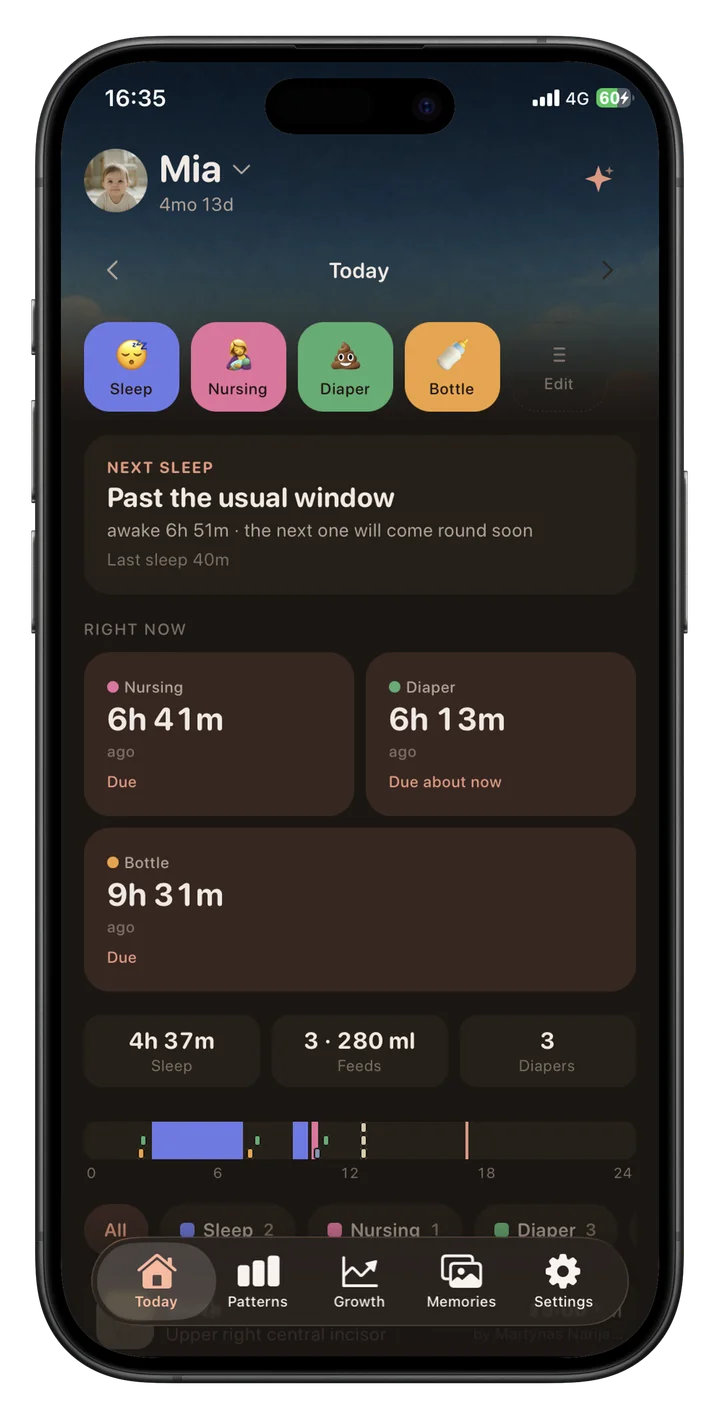
The Today screen keeps the most common actions within easy reach, while recent events, what may be due next, daily totals, and the timeline remain visible without opening separate reports. The interface carries a lot of information without feeling like a spreadsheet.
The strongest usability decision is consistency. The same entries power caregiver handoffs, daily summaries, longer-term Patterns, adaptive sleep context, and Ask Buma. Parents do not have to maintain one log and then reconstruct the same history in a separate sleep or development app.
Daily Logging Is Designed for Tired Parents
The Today screen puts the highest-frequency trackers at the top. Sleep, nursing, nappies, and bottles are presented as large, color-coded buttons, while the dashboard below summarizes recent activity and highlights what may be due.
That sounds basic, but good baby-tracking design is mostly about removing small delays. A timer or entry form that takes too many taps will eventually be skipped, and incomplete data makes every later pattern less useful.
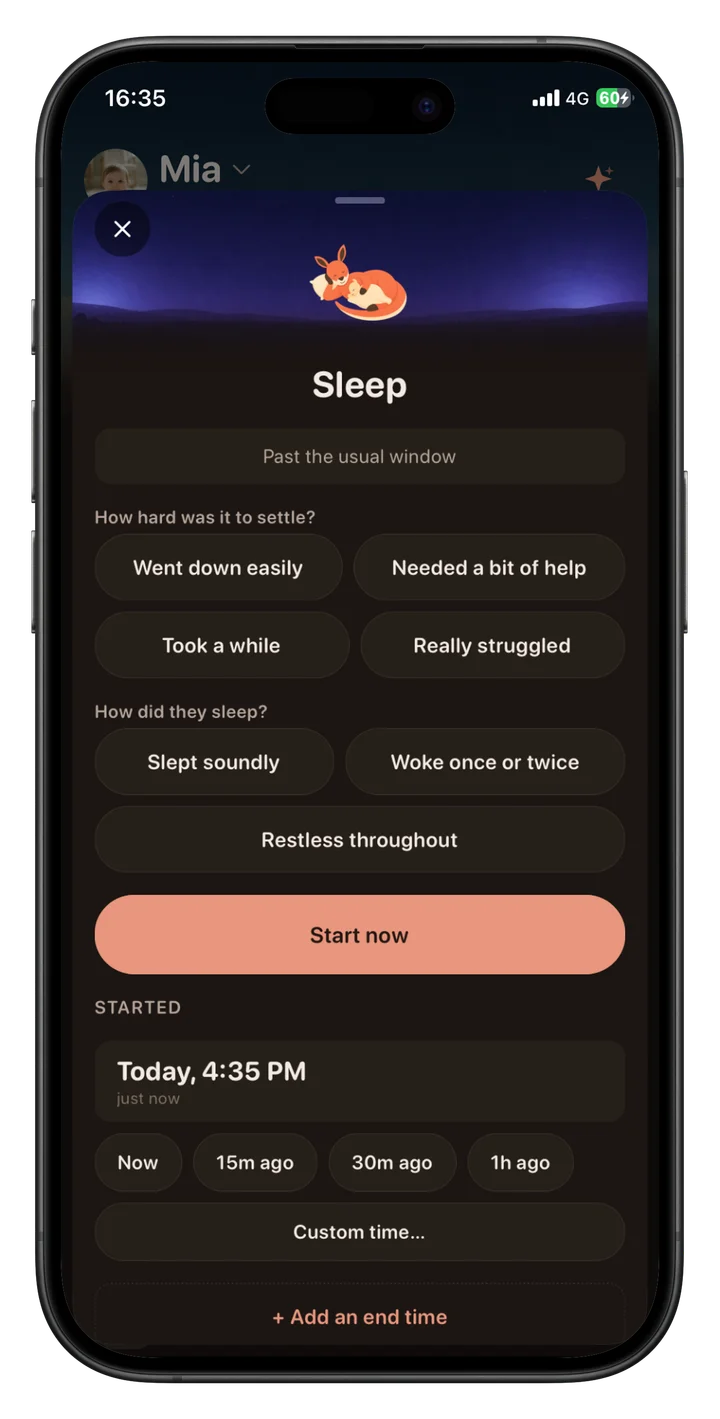
Buma’s sleep entry goes beyond start and end times. The current build can record whether the baby settled easily, needed help, took a while, or struggled, along with an impression of how the sleep went. This creates useful context without requiring a paragraph of notes.
The app also supports quick relative-time choices such as “15 minutes ago” and “30 minutes ago.” That is a thoughtful detail for parents who remember the event after feeding, settling, or cleaning up rather than at the exact moment it begins.
Shared Baby Tracking Is Central, Not an Add-On
Buma’s clearest strength is its family model. Instead of treating sharing as an export or a second login on the same credentials, the app lets people join the same family and work from the same baby history.
The current system includes owner, caregiver, and viewer roles. That makes it possible to give a partner or regular caregiver the ability to contribute while offering more limited access to someone who only needs to see what happened.
Everyone with appropriate access can see the same entries, notes, photos, and running timers. In practical terms, the person taking over at 3 a.m. can check the timeline instead of asking whether the bottle was already given.
One Premium plan covers both parents within the family. That is a sensible model for a product whose value depends on shared participation, and the localized price is shown before purchase.
As with any shared tracker, the usefulness depends on reliable syncing: stale events or duplicate timers would make a handoff confusing. Buma’s architecture and interface clearly prioritize coordination, with running timers, entries, notes, and photos kept in one family history.
Adaptive Sleep Windows Add Context Without Pretending to Predict a Baby
Baby sleep apps often risk presenting estimates with too much certainty. Buma’s current language is more measured: it shows a likely next window based on age and the baby’s recorded rhythm, and that estimate adapts as more history is logged.
The Today view can say that a baby is approaching or has passed their usual sleep window. The Patterns screen then places sleep alongside nursing, nappies, and bottles over a full-day timeline, making repeated rhythms easier to see.
This is better understood as planning context, not a promise that a baby will sleep at a precise time. Illness, travel, developmental changes, stimulation, and ordinary day-to-day variation can all disrupt a pattern.
Sleep totals also need age context. The American Academy of Sleep Medicine consensus recommendations, endorsed by the American Academy of Pediatrics, recommend that infants aged 4–12 months generally sleep 12–16 hours per 24 hours, including naps. That population-level range is useful background, but it is not a diagnosis and cannot explain an individual baby’s difficult night.
Buma’s support for corrected age is valuable for families of babies born early. It allows developmental and sleep context to reflect the corrected rather than only chronological age. Parents should still use guidance from their paediatric care team when interpreting growth, sleep, feeding, or developmental concerns.
Patterns Make the Logs Easier to Read
Baby trackers can accumulate a great deal of data without helping parents understand it. Buma’s Patterns view is one of the strongest parts of the current build because it shows multiple routines on aligned 24-hour timelines.
Sleep appears as larger blocks, while feeds and nappies form smaller events across the same day. Users can toggle categories to reduce clutter and compare recent days side by side.
This layout makes questions such as “Have naps shifted later?” or “Are feeds clustering before bedtime?” easier to explore. It also shows why consistent logging matters: a chart can only reflect the events the family recorded.
Buma does not eliminate the need for judgment. A visual pattern may be coincidence, and a change in routine is not automatically a health signal. The charts are most useful as an organized family record and a prompt for better questions.
Want one shared record for the whole family? Explore Buma to see its tracking, sleep, growth, memory, and caregiver features in one place.
Ask Buma Uses the Baby’s Logged History
Ask Buma is the feature most likely to attract attention. Rather than offering only a generic parenting chatbot, it can respond using the baby’s activity history.
A parent might ask how naps this week compare with the previous fortnight, whether feeds have shifted, or what changed around recent night wakes. The example build shows Ask Buma calculating averages from logged naps and relating settling notes to the broader pattern.
This is potentially much faster than scanning multiple daily charts. It also gives the AI a more relevant starting point than age alone.
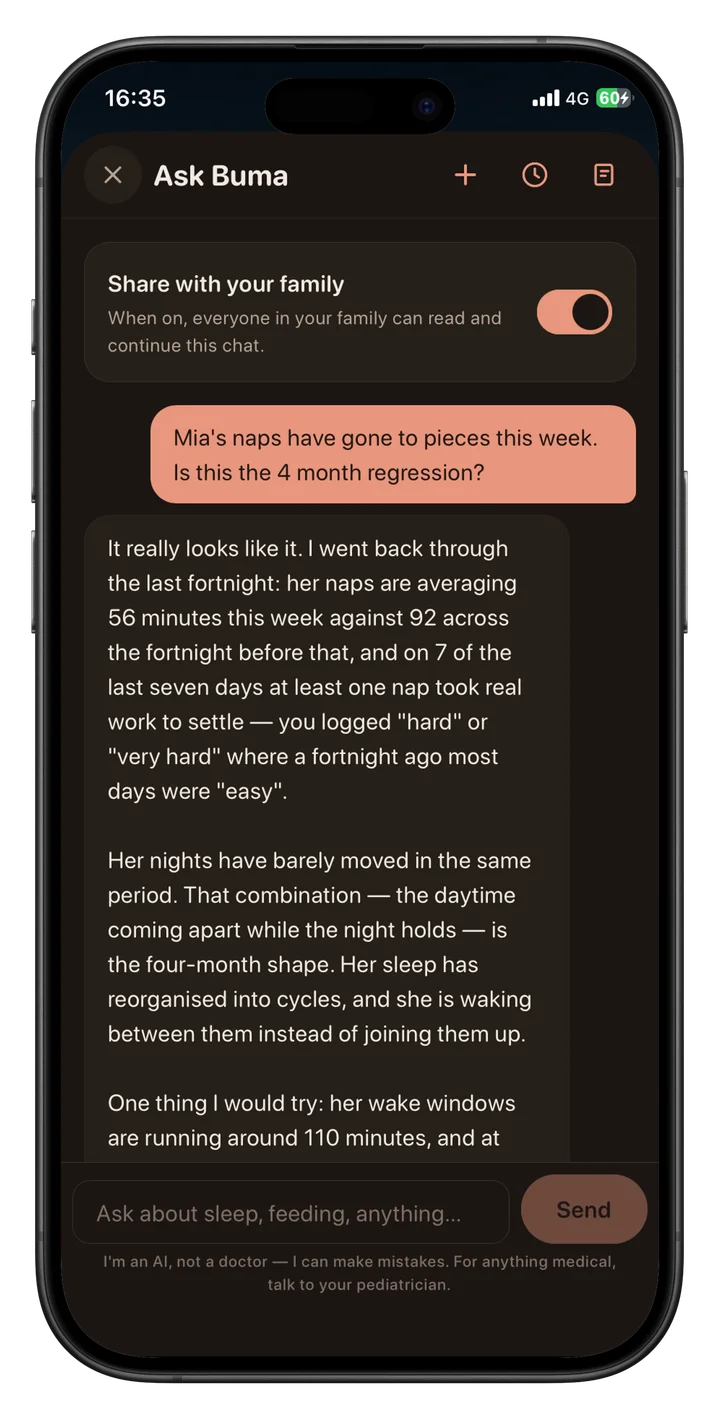
The limitation is important: Ask Buma is still an AI system. It can misunderstand a question, overstate a pattern, or generate an incorrect explanation. Buma explicitly says the assistant is not a doctor and is not medical advice.
That warning should be taken literally. Ask Buma may be useful for summaries and routine questions, but symptoms, feeding problems, poor weight gain, breathing concerns, dehydration, medication, or any urgent issue belong with a paediatrician or emergency service—not a chatbot.
Growth, Teeth, Milestones, and Corrected Age
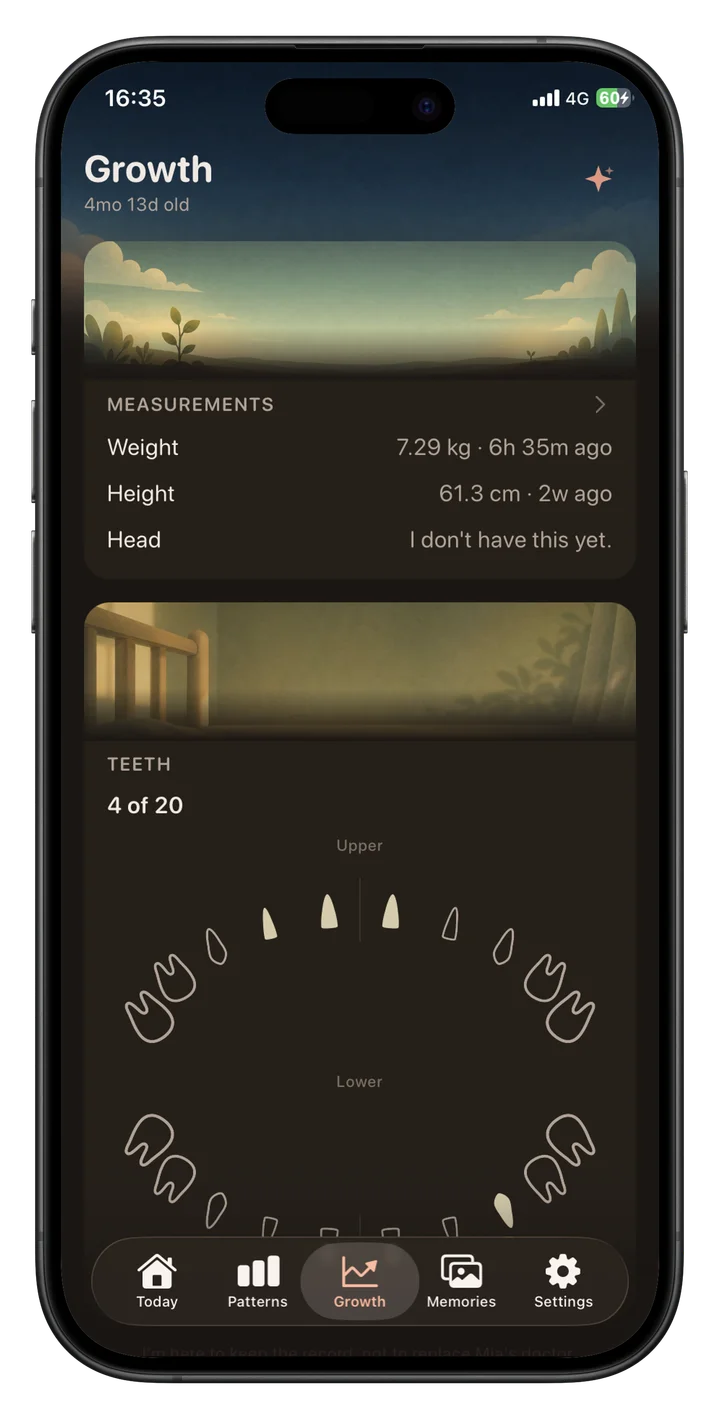
Buma’s Growth section records weight, height, and head circumference and turns repeated measurements into simple trend lines. The supplied screenshots also show reference bands derived from the WHO Child Growth Standards.
The World Health Organization explains that its standards are based on the Multicentre Growth Reference Study and include growth curves for children up to age five. These tools are designed to help assess growth over time; a single percentile or app-generated range should not be treated as a diagnosis.
Buma’s wording—following the child’s own curve—is preferable to framing growth as a competition for a higher percentile. The view may help parents keep measurements organized for appointments, but clinicians should interpret concerning changes.
Teeth receive a visual record of which teeth have appeared, while milestones and health-related trackers can sit in the same history. Corrected-age support extends through relevant age-aware parts of the experience.
Custom trackers make this section more flexible. A family could record a routine or observation that matters to them without waiting for the developer to add a dedicated category.
Memories Keep the App From Feeling Like a Spreadsheet
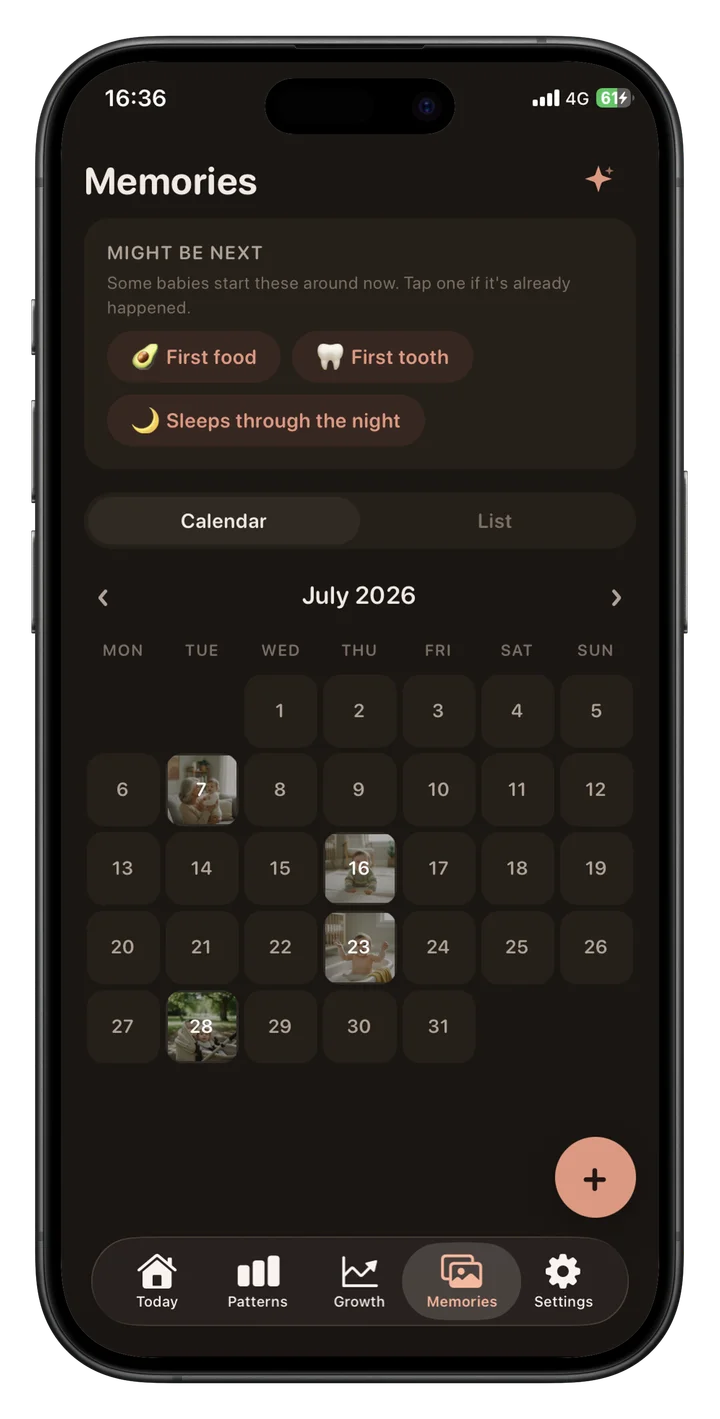
The Memories section is a welcome counterweight to feeds, nappies, and sleep totals. Families can save photos, everyday moments, outings, and firsts, then browse them by calendar or list.
The current interface suggests upcoming milestone ideas, such as a first food or first tooth, without requiring every memory to fit a preset label. Individual memory pages can include a date, caption, author, and reactions from family members.
This is not a replacement for a complete photo library or private backup strategy. It is a lightweight way to keep context beside the routine history: not just when the bath happened, but the photo and sentence the family wants to remember.
Offline Logging, Export, and 18 Languages
Buma’s documentation says entries made while the connection is unavailable are queued and sync when the device returns online. That matters for travel, patchy hospital reception, and any moment when logging should not depend on a stable connection.
Premium members can export their history. Export is an important feature in a tracker that may hold months or years of family data, especially for parents who do not want their only copy trapped inside one app.
The app supports 18 interface languages, including English, Danish, German, Spanish variants, Finnish, French, Hindi, Hungarian, Italian, Japanese, Korean, Norwegian Bokmål, Dutch, Brazilian Portuguese, Swedish, Vietnamese, and Simplified Chinese.
Broad localization makes a shared tracker more practical for multilingual households and caregivers.
Privacy and Account Requirements
Buma requires sign-in, with the current onboarding showing Apple and Google options. That account is what allows family histories to sync across devices and invited people, but it also means Buma is not a local-only tracker.
According to the Buma privacy policy, the service processes account information and data supplied through the app. It also uses analytics and third-party service processors to operate features such as authentication, infrastructure, subscriptions, diagnostics, and AI-assisted functions.
That is not automatically unusual for a cloud-synced family app, but the sensitivity of baby records raises the standard. Parents should read the current privacy policy before adding photos, health observations, or detailed routine history, particularly if they are uncomfortable with cloud storage or third-party processing.
Buma says only invited people can see the family history and that users can remove access or delete their account and data. Families should still review member access periodically, use secure Apple or Google accounts, and remove caregivers who no longer need access.
Ask Buma also introduces a separate privacy consideration because questions and relevant log context must be processed to generate an answer. The policy—not assumptions based on the interface—should guide decisions about what to enter.
Buma Baby Pricing and Value
Buma is free to download, while some advanced features require Buma Premium. The current localized price and any available trial are displayed in the app before purchase, so the amount may vary by platform and region.
One Premium plan covers both parents in the same family. That makes more sense than asking each caregiver to maintain a separate subscription when the central value of the app is a shared history.
The value case is strongest for families that would otherwise pay for or maintain several tools: a routine logger, sleep planner, growth record, milestone journal, and shared photo timeline. Parents who only need a basic feeding timer may be satisfied with a simpler free app.
Before upgrading, check the renewal frequency, cancellation terms, included trial, and the price shown by the app store in your region.
Pros
- Combines practical daily logging with patterns, memories, and family coordination
- Shared timeline can make caregiver handoffs clearer
- Sleep windows adapt to the baby’s recorded routine
- Ask Buma can summarize logged history without manual chart reading
- Supports custom trackers and corrected age
- Entries can be queued offline and synced after connectivity returns
- Supports 18 interface languages
Cons
- Requires an account and sign-in
- Some advanced features require Buma Premium
- AI answers are not medical advice and may be wrong
- Uses analytics and third-party service processors
Who Buma Baby Looks Best For
Buma appears best suited to households where more than one person regularly cares for a baby and everyone needs a reliable handoff record.
It may also suit parents who want sleep context and patterns but do not want a separate sleep app, growth app, milestone record, and shared photo journal. The benefit comes from having those functions connected.
Families of babies born early may appreciate corrected-age support. Multilingual households benefit from the 18-language interface, and data-minded parents may find the aligned pattern charts easier to read than a long event list.
Buma is less compelling for someone who wants a completely offline, account-free notebook. It may also be excessive for parents who only need a basic feed timer, while anyone uncomfortable with AI or cloud processing should look closely at the privacy trade-offs.
Buma Baby App Review Verdict
Buma is one of the most coherent baby trackers we have reviewed. Its strongest idea is not an isolated feature but a connected workflow: both parents log to the same timeline, adaptive sleep windows respond to that history, Patterns make the history visible, and Ask Buma can summarize it in plain language.
Growth, corrected age, teeth, custom trackers, memories, 18 interface languages, offline logging, and export give the product room to remain useful beyond the earliest feed-and-nappy stage.
The trade-offs are clear. Sign-in is required, some advanced features require Premium, and the service uses analytics and third-party processors. Its AI can help interpret logs, but it cannot safely replace professional medical judgment.
Our verdict is that Buma is the best all-in-one baby tracker for shared care. Nara remains a strong choice for parents who want broad tracking, separate caregiver accounts, and CSV export without paying, while Huckleberry has a longer track record in paid sleep guidance. Buma connects more of the family’s day in one coherent product, but it is not the right winner for every priority.
Download Buma Baby
Buma is available for Android and iOS. The official site has the latest feature information and download options.
Sources
- 1.Buma — Official Product Page— Buma, 2026
- 2.Buma Privacy Policy— Buma, 2026
- 3.Buma Terms and Conditions— Buma, 2026
- 4.Recommended Amount of Sleep for Pediatric Populations— Journal of Clinical Sleep Medicine, 2016
- 5.WHO Child Growth Standards— World Health Organization, 2006
Frequently Asked Questions
- Is Buma Baby available now?
- Yes. Buma Baby is available for Android and iOS. The official Buma website links families to the current store versions.
- How much does Buma Baby cost?
- Buma is free to download. Some advanced features require Buma Premium, with the current localized price and any available trial shown in the app before purchase.
- Can two parents use Buma Baby?
- Buma is designed around a shared family rather than one person passing around a login. Invited family members can work from the same baby history, with owner, caregiver, and viewer roles controlling what each person can do.
- Does Ask Buma give medical advice?
- No. Ask Buma can interpret and summarize information recorded in the app, but its responses may contain errors and do not replace a paediatrician or another qualified health professional.
- Does Buma Baby work offline?
- Buma’s product documentation says entries made without a connection are queued and sync after the device comes back online. Premium members can also export their history.
Related reading
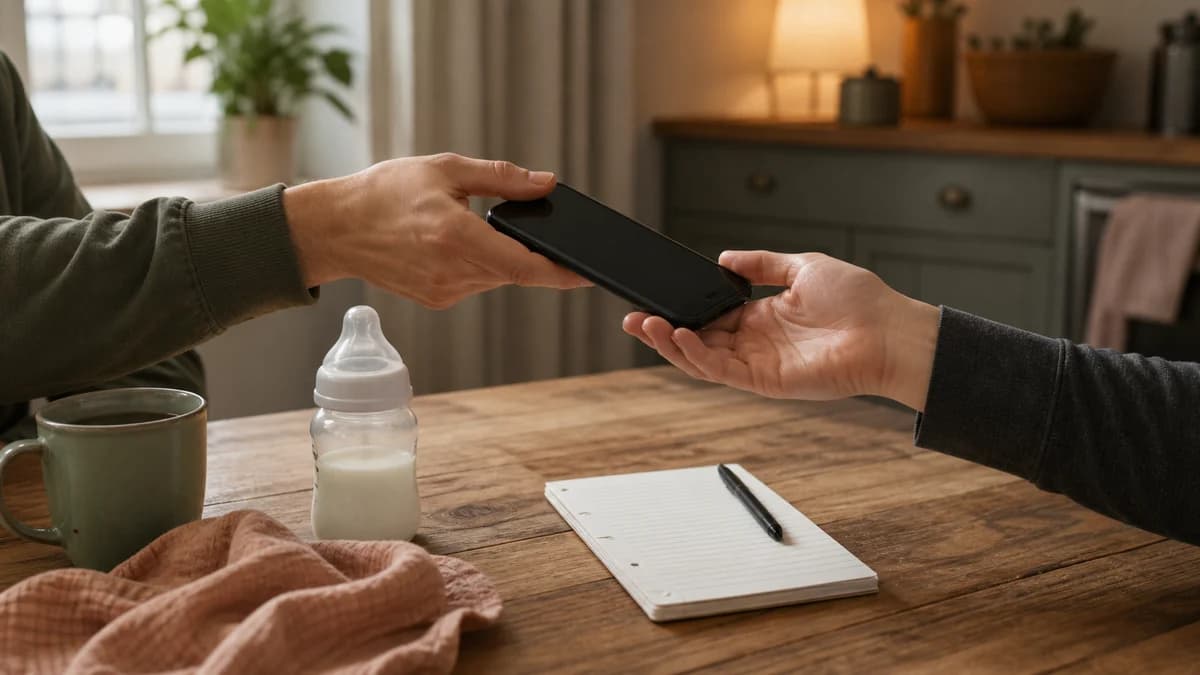




Best Baby Tracker Apps in 2026: 6 Apps Compared
We compared six baby trackers on the details that matter during real family handovers: fast logging, caregiver access, sleep support, development tools and what each app actually costs.

Onoco App Review 2026: Is Premium Worth It?
Onoco combines a capable free baby tracker with strong caregiver permissions and an unusually detailed development journey. Premium adds AI nap predictions, family planning, custom logs, and CSV export.
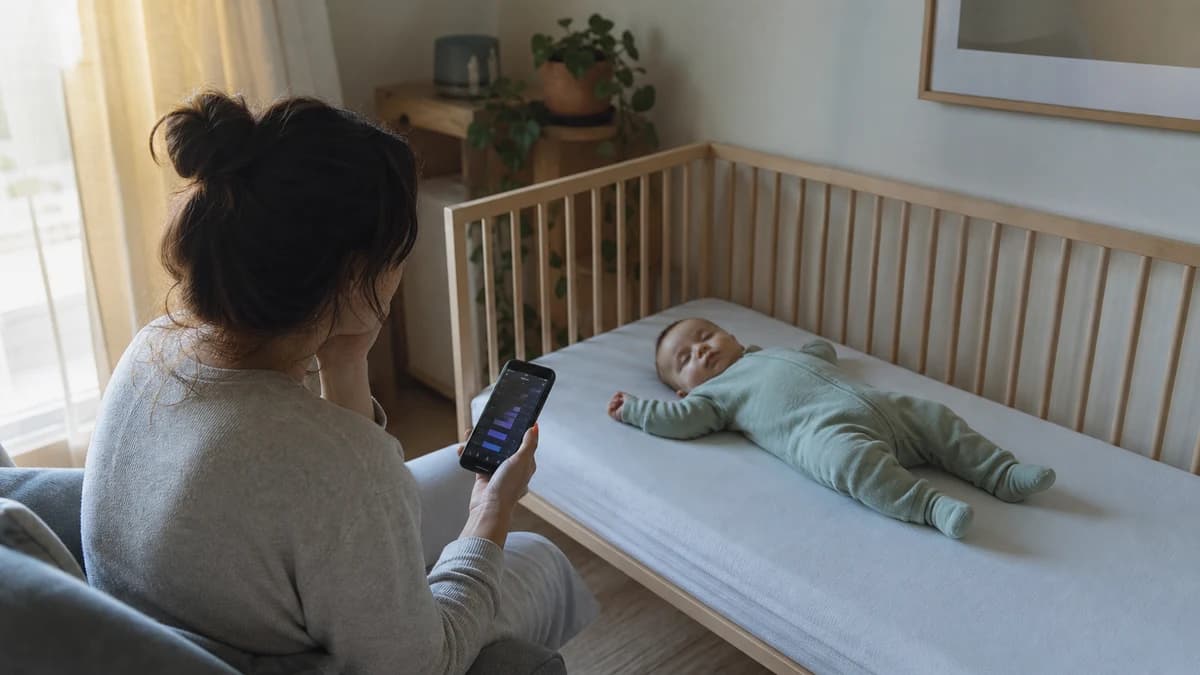
Huckleberry App Review 2026: Is Plus or Premium Worth It?
Huckleberry is a capable free baby tracker with unusually deep sleep tools. We compare Free, Plus, and Premium to find the best tier for most families.