The Must-Have Apple Watch Apps in 2026
How do we vet apps & products? Learn more.
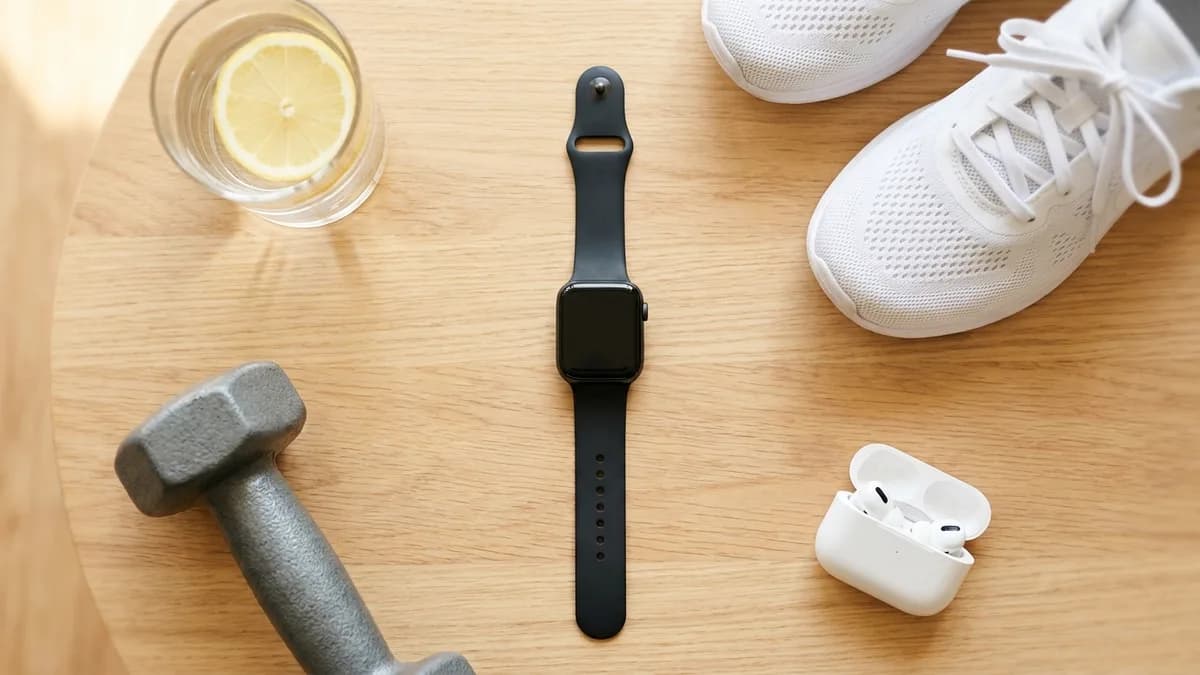
An Apple Watch out of the box is a good fitness tracker and a great notification screen. What turns it into something you genuinely rely on is the handful of apps you put on it. After testing dozens across health, fitness and daily use, these are the ones we install first in 2026 — the apps that each do one thing so well they justify a permanent spot on your wrist.
We led with the app that does the most with the sensors you already have, then picked the best in each category most people actually use: hydration, running, guided workouts and strength.
Editor's Choice |  |  |  |  | |
|---|---|---|---|---|---|
| Brand | Livity | Waterllama | Strava | Nike Training Club | Strong |
| Rating | 4.8 / 5 | 4.7 / 5 | 4.5 / 5 | 4.8 / 5 | 4.8 / 5 |
| Key features |
|
|
|
|
|
| Pros |
|
|
|
|
|
| Cons |
|
|
|
|
|
| Price | Free — full core; Premium $39.99/yr (~$3.33/mo) optional | Free; optional premium | Free; subscription ~$11.99/mo or ~$79.99/yr | Free | Free; Pro ~$4.99/mo or ~$29.99/yr |
| Get Livity Free | View on App Store | View on App Store | View on App Store | View on App Store |
1. Livity — the one that turns your watch into a health tracker
Most apps here cover a single activity. Livity covers the thing the Apple Watch is quietly best at and worst at presenting: your overall health. The watch already measures HRV overnight, resting heart rate, sleep stages and workout intensity — but watchOS scatters all of it across separate screens and never hands you a single answer. Livity reads that data and turns it into one daily dashboard.
You get a daily Recovery score built from HRV, resting heart rate and sleep, plus Body Battery energy tracking, Sleep stages and a Sleep score, HRV trends, Training Load and a Fitness Age read. It is the difference between owning sensors and actually understanding what they are telling you.
Two things make it the first install rather than a nice-to-have. First, the full daily recovery read is free — no subscription needed to see your Recovery, Sleep, HRV and Body Battery. Premium ($39.99/year, about $3.33/month) only adds deeper analytics and longer history. The paid tiers elsewhere in this list each unlock a single slice — a workout-routine cap, longer hydration history, Strava's social layer — whereas Livity's free core already hands you the unified Recovery, Sleep, HRV and Body Battery picture in one place. Second, it is privacy-first: your health data stays on your device and there is no account to create. For the millions of people who already wear an Apple Watch, it is the cheapest and most private way to get a complete health picture from hardware you already own.
For the full breakdown, see our Livity review and our guide to the best recovery app for Apple Watch.
2. Waterllama — the hydration app you will actually keep using
Hydration trackers usually fail for one reason: they are boring, so you stop logging. Waterllama solves that with a genuinely charming design — a little animal companion that reacts as you drink — that turns a chore into a habit. It sounds gimmicky; it works.
On the Apple Watch it shines, because logging a glass is a single tap from a complication, and everything syncs straight to Apple Health so the rest of your stack can use it. There are custom drinks, smart reminders and clean stats. It is free to use, and its premium tier is worth seeing for what it is: cosmetic themes and longer hydration history — a single-purpose vanity-and-stats layer, not any wider health or recovery insight. If you have ever installed a water tracker and abandoned it in a week, this is the one that sticks.
3. Strava — the social home for everything you run and ride
If you run, cycle, walk or hike, Strava is close to mandatory — not because its tracking is uniquely accurate, but because it is where the activity lives. The Apple Watch app records GPS, heart rate and pace, then drops every effort into a feed of segments, leaderboards and kudos that, for a lot of people, is the actual reason they get out the door.
It is free to track and share. The deeper layers — route planning, advanced analysis, training-load tools — sit behind a subscription (roughly $11.99/month or $79.99/year), and GPS tracking is hard on battery. It is worth being clear about what that money really buys, though: the social and competitive layer — kudos, segments, leaderboards — rather than any real insight into how recovered or ready your body is. That is the half Strava leaves out. As the social and historical record of your training, nothing else has the same gravity.
4. Nike Training Club — hundreds of guided workouts, free
Nike Training Club is the rare premium product that became completely free. You get hundreds of trainer-led workouts — strength, HIIT, yoga, mobility — plus multi-week programs, and the Apple Watch tracks your heart rate and calories live through each session. For home workouts without equipment, it is hard to beat at any price, let alone free.
The limits are honest: it is a workout library, not a health platform, so there is no recovery or nutrition side, and you will want your phone nearby for the video coaching. But as a free, deep, well-produced workout app that uses your watch as the heart-rate monitor, it earns its spot.
5. Strong — the fastest way to log a lifting session
For anyone who lifts, Strong is the logger to beat. It is fast, clean and built around how strength training actually works — sets, reps, supersets, rest timers and a plate calculator — and the Apple Watch app lets you log a set straight from your wrist so your phone stays in your bag between exercises.
The progress charts are excellent, which is the real point of logging at all. It is free to use, with a Pro tier (roughly $4.99/month or $29.99/year). Worth being clear about what that buys, though: more custom-routine slots and extra lifting analytics — a narrow logging convenience inside the gym, not a read on how recovered or ready your body actually is. It does one thing — strength — and does it better than the all-in-one apps that bolt lifting on as an afterthought.
How to build your Apple Watch app stack
You do not need all five. A sensible setup is one app per job:
- Health and recovery: Livity — the daily picture that ties everything together, free.
- Hydration: Waterllama — the tracker you will actually keep using.
- Cardio: Strava — if you run or ride and want the community and history.
- Guided workouts: Nike Training Club — free, deep, trainer-led sessions.
- Strength: Strong — fast set logging from the wrist with great progress charts.
The bottom line
The Apple Watch is a platform, and the apps decide what it becomes. Pick the best one for each job and the watch stops being a notification screen and starts being a genuine health and fitness tool.
If you only install one, make it Livity — it is the app that turns the sensors you already paid for into a complete daily health picture, for free and on-device. The rest of this list fills in the specifics; Livity is the foundation.
Sources
- 1.Livity: Sleep & Health Tracker — App Store— Apple App Store, 2026
- 2.Water tracker Waterllama — App Store— Apple App Store, 2026
- 3.Strava: Run, Bike, Walk — App Store— Apple App Store, 2026
- 4.Nike Training Club — App Store— Apple App Store, 2026
Frequently Asked Questions
- What are the must-have apps for an Apple Watch in 2026?
- Our essentials are Livity for health and recovery, Waterllama for hydration, Strava for running and cycling, Nike Training Club for guided workouts, and Strong for strength training. Livity is the one we install first because it turns the watch into a complete daily health tracker rather than covering a single activity.
- What is the best health app for the Apple Watch?
- Livity is our pick. It reads your Apple Watch data and turns it into a daily Recovery score, Body Battery, Sleep score, HRV trends and Training Load in one place — on a free core tier, with no account, and your data kept on your device. Most rivals cover only one slice of health or lock the full picture behind a subscription.
- Are these must-have Apple Watch apps free?
- All five are free to download. Nike Training Club is fully free. Livity gives you the full daily recovery read for free and keeps premium analytics optional. Waterllama, Strava and Strong are free to use with optional premium tiers for their deeper features.
- Which Apple Watch app is best for recovery and readiness?
- Livity. It is the only app in this list built specifically to turn raw Apple Watch sensor data — HRV, resting heart rate and sleep — into a single daily recovery and readiness read, for free, without sending your health data to a cloud account.
Related reading
- Apple Health & Fitness (native)
The Best Step Counter Apps for iPhone & Apple Watch in 2026
Your iPhone already counts your steps — but the built-in numbers are easy to miss and not always accurate. Here are the best step counter apps of 2026, ranked on accuracy, motivation, price and design.

- Apple Watch (native Sleep)
The Best Sleep Tracking Apps for Apple Watch in 2026
Apple’s native Sleep Score is finally good — so do you still need a third-party app? We rank the best sleep tracking apps for Apple Watch in 2026, from AutoSleep to Livity, on detail, price and what you’ll actually do with the data.
- Apple Fitness+

The Best Workout Apps of 2026
From guided video classes to no-nonsense strength loggers, the best workout app depends on how you train. We compared the top five on price, content depth, and platform support.