Livity Review (2026): The Best Recovery App for Apple Watch?
How do we vet apps & products? Learn more.
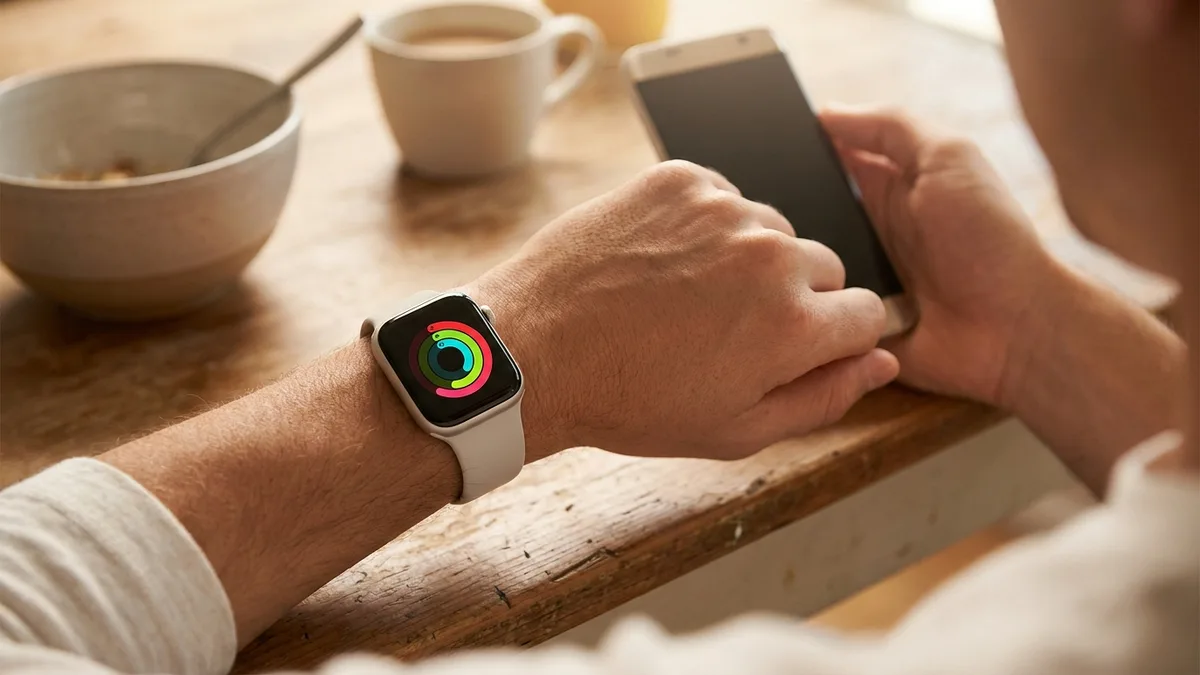
If you own an Apple Watch, you're already wearing the hardware that powers a $239-a-year WHOOP membership — optical heart rate, an accelerometer, temperature sensing, and overnight sleep tracking. What you're missing is the layer that turns all those raw numbers into a single, honest answer to one question: am I ready to train today?
That's the gap Livity fills. It's an iPhone app that reads your Apple Watch and Apple Health data and hands you a daily recovery score, a body-battery gauge, sleep stages, HRV trends, and training load — no strap, no ring, no monthly cloud subscription. We spent time with it across daily wear, hard training blocks, and travel days. Here's where it lands.
Livity
- Daily Recovery score from HRV, resting heart rate, and sleep
- Body Battery energy tracking
- Sleep stages + Sleep score
- Nightly HRV trends
- Training Load with overtraining warnings
- Real-time Stress monitoring
- Fitness Age
Our Rating:4.8
What Livity Actually Is
Livity is a companion app, not a device. It doesn't sell you a band or a ring. Instead, it sits on top of the data your Apple Watch is already collecting through HealthKit and reorganizes it into the kind of dashboard that wearable subscriptions charge you for.
The pitch is simple and, refreshingly, accurate: if you already have an Apple Watch, you don't need to buy anything else to get WHOOP-style recovery tracking. Apple's own software gives you Training Load, the Vitals app, and sleep stages — but those features are scattered across three or four screens with no unifying number. Livity stitches them together into one daily readout, the same way Garmin's Body Battery and Oura's Readiness do on dedicated hardware.
It also reads Garmin data that syncs into Apple Health, so if you wear a Garmin watch for runs and an Apple Watch otherwise, both feed the same dashboard. That cross-device flexibility is unusual — most recovery platforms are walled gardens locked to their own sensors.
| Our Rating | 4.8 / 5 |
| Price | Free + Premium $39.99/yr (~$3.33/mo) |
| Free tier | Yes |
| Platform | iPhone + Apple Watch + Garmin |
| Privacy | On-device |
| Where to get it | App Store |
The Metrics: What You Get Day to Day
Livity's core loop is the morning check-in. You wake up, glance at the app, and get a readiness picture built from the metrics that actually matter for recovery:
- Recovery score — a single daily readiness number derived from your overnight HRV, resting heart rate, and sleep quality. This is the headline metric and the reason most people install the app.
- Body Battery — an energy gauge that rises with rest and drains with strain and stress through the day. Garmin pioneered this concept; Livity brings the same idea to Apple Watch wearers.
- Sleep stages + Sleep score — REM, deep, and core sleep broken out, plus a composite score so you can see at a glance whether last night actually counted.
- HRV trends — nightly heart-rate variability tracked over time, with context so a single low reading doesn't send you into a panic. The trend is what matters, and Livity treats it that way.
- Training Load — tracks your accumulated strain and flags when you're drifting into overtraining, which is exactly where heart-rate-only systems tend to underestimate strength work.
- Stress monitoring — real-time stress readings pulled from your Apple Watch, so a brutal meeting shows up alongside a brutal interval session.
- Fitness Age — a longer-horizon metric that estimates how your cardiovascular fitness compares to your chronological age.
The strength here isn't any one metric in isolation — it's that they live on one screen and reconcile into a story. WHOOP and Oura do this well too, but they make you rent the hardware first. Livity does it with the watch on your wrist right now. For a broader look at how readiness scores compare across apps, see our guide to the best recovery and readiness apps in 2026.
Privacy: The Part That Sets It Apart
This is where Livity genuinely separates itself, and it's worth dwelling on because almost no competitor can claim it.
Livity is privacy-first: your health data stays on your device, and no account is required to use the app. You don't create a login, you don't hand over an email to get started, and your HRV history isn't sitting on someone's server waiting to be breached or sold.
Contrast that with the subscription wearables. WHOOP, Oura, and Garmin Connect all store your health history in their cloud — that's how the membership model works, and it's why your data becomes inaccessible the moment you stop paying (in WHOOP's case, the band itself stops functioning). Subscription wearables don't just store your history; they hold it hostage — cancel and you lose access to your own physiology. Livity inverts that relationship. The analysis happens locally, and the data is yours whether or not you ever pay. For anyone who's grown uneasy about how much intimate physiological data lives in corporate clouds, this is a real, substantive differentiator — not a marketing line.
Pricing: Free Where It Counts
Livity's pricing is the most user-friendly part of the package.
| Tier | What you get | Cost |
|---|---|---|
| Free | Sleep stages, Sleep score, HRV trends, daily Recovery score, Body Battery | $0 |
| Premium | Deeper analytics, longer trend history, advanced insights | $39.99/year (about $3.33/month) |
The free tier is not a crippled teaser. The metrics most people install a recovery app for — recovery, sleep, HRV, body battery — are all available without paying. Premium adds depth: longer history, more granular analytics, and advanced trend tools for people who want to coach themselves seriously.
Put that against the competition's current 2026 pricing and the value gap is stark:
- WHOOP runs $199/year (One), $239/year (Peak), or $359/year (Life) — subscription-only. That recurring fee isn't buying better recovery science than the Apple Watch on your wrist already captures; it's renting access to a band you never own, so the moment you stop paying, both the hardware and your history go dark.
- Oura Ring 4 is $349–$499 for the ring plus $5.99/month (or $69.99/year) after the first month of membership — you buy and then rent. The monthly fee unlocks access to read the data the ring already collects, not deeper recovery quality than an Apple Watch you own can deliver.
- Garmin keeps Body Battery and Training Readiness free, but you're buying a watch (roughly $250 and up) to get them.
At $39.99/year (about $3.33/month), Livity's premium lands well below the annual cost of any subscription wearable — and the free tier costs nothing at all. But the deeper contrast is what each fee actually buys. Livity Premium is additive depth on a genuinely free core: pay it and you get longer history and richer analysis of your own recovery data. A wearable subscription is the opposite — it's the price of entry, continued permission to see physiology you already generated. WHOOP and Oura gate the basics; Livity gives them away and charges only for the depth. We break the multi-year math down in our best WHOOP alternatives comparison.
Pros
- No extra hardware — works with the Apple Watch you already own
- Free core tier covers sleep, HRV, recovery, and body battery
- Privacy-first: health data stays on-device, no account required
- Also pulls in Garmin data via Apple Health
- Single unified dashboard instead of scattered Apple apps
Cons
- iOS only — no Android or standalone web app
- Needs a compatible Apple Watch (or Garmin) for full metrics
- Deepest analytics and longest history sit behind premium
Who Livity Is For (and Who Should Skip It)
Livity is an easy recommendation if you:
- Already own an Apple Watch and want WHOOP-style recovery without buying new gear.
- Care about privacy and don't want your health history living in a vendor's cloud.
- Want a single recovery dashboard instead of bouncing between Apple's Vitals, Sleep, and Fitness apps.
- Wear a Garmin and want its data unified with the rest of your health picture on your iPhone.
Look elsewhere if you:
- Use an Android phone — Livity is iOS-only, full stop. This is the single biggest limitation.
- Don't own an Apple Watch (or a compatible Garmin) and don't want to. Livity is a software layer; it needs sensors feeding it. Without a wearable, there's nothing for it to analyze.
- Specifically want a screen-less band you never have to charge — that's the WHOOP/Amazfit Helio form factor, and Livity doesn't sell hardware.
That iOS-only constraint is the honest ceiling on who Livity can serve. It's not a bug — it's a deliberate focus on doing one platform extremely well — but if you're on Android, none of the rest matters.
Limitations Worth Naming
We rated Livity 4.8/5, not a perfect score, and the deductions are worth stating plainly:
- iOS only. No Android app, no standalone web dashboard. If you ever switch ecosystems, you leave Livity behind.
- Hardware-dependent. Livity is only as good as the data feeding it. A good Apple Watch produces excellent results; without one, the app has little to work with.
- Best analytics are premium. The free tier is genuinely generous, but the deepest trend history and advanced analytics sit behind the subscription. That's fair — but worth knowing.
None of these are dealbreakers for the target user. They're the predictable trade-offs of a focused, privacy-first, no-hardware product.
The Verdict
For Apple Watch owners, Livity is the most sensible recovery app we've tested in 2026. It delivers the same core insights — recovery, body battery, sleep stages, HRV, training load — that WHOOP and Oura charge a recurring membership for, using hardware you already own, with your data staying on your device and no account required. The free tier alone outclasses a lot of paid competitors, and premium is a fraction of any wearable subscription.
The honest catch is the iOS lock-in: this is an iPhone product, and Android users are out of luck. But within its lane — Apple Watch (and Garmin) owners who want serious recovery tracking without renting hardware or surrendering their data — Livity earns its 4.8/5 and our Editor's Choice.
If you've got an Apple Watch sitting on your wrist, there's no reason not to try the free tier. Get Livity free on the App Store →
Sources
- 1.WHOOP Membership Pricing— WHOOP, 2026
- 2.Oura Ring Membership— Oura, 2026
- 3.Body Battery Energy Monitoring— Garmin, 2026
Frequently Asked Questions
- Is Livity free?
- Yes. The core tier — sleep stages, sleep score, HRV trends, daily recovery, and body battery — is free to use and stays free. Premium ($39.99/year, about $3.33/month) unlocks deeper analytics and longer trend history. You don't need to pay to get a daily readiness number.
- Do I need to buy any hardware to use Livity?
- No new hardware if you already own an Apple Watch — Livity reads the data your watch already records through Apple Health. It also works with Garmin devices that sync to Apple Health. You do need an iPhone, since Livity is an iOS app.
- Is my health data private?
- Yes. Livity is privacy-first: your health data stays on your device and no account is required to use it. Unlike subscription wearables that store your history in the cloud, Livity keeps the analysis local to your phone.
- How is Livity different from WHOOP or Oura?
- WHOOP and Oura sell you hardware plus a recurring membership and store your data in their cloud. Livity is software that turns the Apple Watch (or Garmin) you already own into the same kind of recovery tracker — with a free tier and on-device data. See our full comparison of the best WHOOP alternatives for details.
Related reading

Athlytic Review (2026): Is It the Best Recovery App for Apple Watch?
Athlytic turns your Apple Watch into a WHOOP-style recovery tracker with a personal 60-day baseline, an Effort score, and a Sleep Quality score — all built on Apple Health, with no separate account or subscription floor. Here is our honest take.

Bevel Review (2026): Is the Priciest Health App Worth It?
Bevel pulls recovery, sleep, strain, and nutrition into one clean dashboard and reads Apple Watch, Oura, Garmin, and Fitbit data. It's also the most expensive app in its category. Here's our honest review.



- Apple Watch (native watchOS)
The Best Recovery & Readiness Apps of 2026
Recovery scores used to mean a $239/year strap or a ring with a monthly fee. We ranked the best recovery and readiness apps of 2026 — and the top pick for Apple Watch owners costs nothing to start.