The Best Recovery Apps for Apple Watch in 2026
How do we vet apps & products? Learn more.
Your Apple Watch already has the sensors a $239-a-year strap charges you for. It reads your heart rate every few minutes, measures HRV overnight, tracks your sleep stages and logs every workout. The hardware is genuinely good. The problem is what Apple does — and doesn't do — with all that data.
As of 2026, watchOS gives you Training Load and a Vitals app that flags overnight outliers, but it still doesn't roll any of it into a single morning recovery score. There's no one number that tells you "you're at 71% today, ease off." The data is scattered across separate apps, and you're left to interpret it yourself. That gap is exactly why a whole category of recovery apps exists.
So which is the best recovery app for Apple Watch? We tested the readiness models people ask us about most — weighing how clearly each turns your watch data into an actionable score, what you get for free, and where your data ends up. Here's how they rank.
Editor's Choice |  |  | Apple Watch (native watchOS) | |
|---|---|---|---|---|
| Brand | Livity | Training Today | HRV4Training | Apple Watch (native watchOS) |
| Rating | 4.8 / 5 | 4.1 / 5 | 4.0 / 5 | 3.6 / 5 |
| Key features |
|
|
|
|
| Pros |
|
|
|
|
| Cons |
|
|
|
|
| Price | Free — full core; Premium $39.99/yr (~$3.33/mo) optional | Free; Pro one-time purchase (~$9.99–$14.99) | One-time purchase (no subscription) | From ~$229 (Apple Watch SE); no subscription |
| Get Livity Free | View on App Store | View on App Store | Visit Apple |
How we judged recovery apps for Apple Watch
Every app here reads the same raw inputs from HealthKit — overnight HRV, resting heart rate and sleep — and tries to answer one question: is your body ready to push today? We scored each on four things that actually matter:
- The readiness model — does it give you one clear recovery or readiness score, or leave you reading raw metrics?
- Sleep depth — recovery is downstream of sleep, so sleep-stage quality matters.
- Cost and lock-in — is the core useful for free, a one-time purchase, or subscription-only?
- Privacy and friction — how many accounts you create, and where your health data lands.
The apps that scored highest gave you a real daily number without forcing a subscription or shipping your health data to a cloud you don't control.
1. Livity — best recovery app for Apple Watch overall
If you already own an Apple Watch, Livity is the most direct path from "I have the sensors" to "I have a recovery setup." It's an iPhone app that reads your Apple Health / HealthKit data and turns the watch on your wrist into the scores you'd otherwise pay a subscription for. (It pairs with Garmin too.)
You get a daily Recovery score built from HRV, resting heart rate and sleep quality, plus Body Battery energy tracking, Sleep stages and a Sleep score, HRV trends with context, Training Load, Stress monitoring and a Fitness Age read — all in one dashboard. That unified view is exactly what the Apple Watch lacks natively: instead of cross-referencing Training Load against the Vitals app yourself, you get one morning number.
Two things separate Livity from the subscription crowd. First, the core tier is genuinely free and requires no account — you install it and start tracking. Second, it's privacy-first: your health data stays on your device rather than syncing to a company's cloud, which is unusual in this category. Premium ($39.99/year — about $3.33/month) adds deeper analytics and longer trend history when you want them, but the full daily picture — Recovery, Sleep, HRV and Body Battery — stays free. That free tier is the whole point: you get the complete daily recovery read for $0, where almost every rival puts that depth behind a subscription.
The trade-off is platform: Livity is iPhone-and-wearable only, and the quality of your score depends on wearing your Apple Watch consistently overnight. But if you've already got the watch, you're getting WHOOP-style insight from hardware you've already paid for.
For a deeper hands-on breakdown, see our full Livity review.
2. Training Today — simplest readiness signal, no subscription
If you don't want a dashboard full of numbers, Training Today strips recovery down to its most useful form: a daily Readiness-to-Train score and a Go / Caution / Rest traffic light. It pulls HRV, resting heart rate, respiratory rate and sleep straight from Apple Watch via HealthKit, then tells you — in plain terms — whether today is a day to push or back off, with updates throughout the day.
The pricing is refreshing: it's free to start, and Pro is a one-time purchase (roughly $9.99–$14.99) that unlocks trend charts, deeper HRV breakdowns and historical readiness — no subscription. The trade-off is scope. Training Today does readiness and only readiness, so the Pro purchase buys depth on one number — a readiness traffic light plus basic trend charts — rather than a full daily recovery read; there's no Body Battery, no strain coaching, no fitness-age view. If you want a single honest "should I train today?" answer and nothing more, that focus is a feature.
Best for: people who want a clear daily go/no-go signal and refuse to pay a recurring fee.
3. HRV4Training — the science-led, one-time-purchase option
HRV4Training is the most research-driven app in this roundup, and a favorite among athletes who take HRV seriously. Rather than scoring you passively overnight, it has you take a structured morning reading — either via your iPhone's camera or your Apple Watch — then gives contextualized advice on whether to train hard or take it easy. It also works with chest straps and Oura, so it isn't locked to the Apple Watch.
It's a one-time purchase with no subscription, which is rare and welcome. What that price really unlocks is the research-grade HRV methodology, not effortless daily recovery — and you pay for it in friction. The trade-offs are real: the structured morning reading is a ritual you repeat every day, there's no passive 24/7 recovery score, and the interface is dense — clearly built for data-minded users rather than someone who just wants a glanceable number.
Best for: committed athletes who want rigorous HRV methodology and will happily do a daily reading.
4. Apple Watch (native) — great sensors, no unified score
The honest baseline. watchOS now includes Training Load (your last 7 days versus the prior 28) and a Vitals app that flags outliers in overnight heart rate, HRV, respiratory rate, wrist temperature and sleep duration, plus Sleep stages and a Sleep score. None of it costs a subscription, and an Apple Watch SE starts around $229.
But this whole category exists because of one gap: the Apple Watch still has no single native recovery or readiness score. As reviewers have repeatedly noted, the Vitals app has barely changed since its 2024 launch, and Apple expects you to manually cross-reference a "Very High" Training Load against "Outlier" Vitals to infer overtraining. The data is all there — it just never becomes the one number the apps above hand you automatically.
Best for: anyone in the Apple ecosystem — ideally paired with a recovery app to supply the score watchOS leaves out.
Worth a mention: Gentler Streak is a well-loved Apple Watch app that frames activity around a "compassionate" go-easier philosophy and has added HRV-based readiness nudges. At $7.99/month (or $54.99/year) it's the priciest subscription here, and that recurring fee mostly buys a motivational, tone-driven activity-coaching layer — the "compassionate" framing and nudges — rather than deep recovery-score analytics. It's more of a gentle workout-tracker than a dedicated recovery-score app, so it didn't make the main ranking — but it's a fair pick if its tone appeals to you.
Quick cost and capability picture
Here's roughly what each option costs to get a daily recovery or readiness read, assuming you already own an Apple Watch.
| App | Cost to get a daily recovery score | Single recovery score? | Privacy |
|---|---|---|---|
| Livity | Free — full core; Premium $39.99/yr (~$3.33/mo) optional | Yes, unified | On-device, no account |
| Training Today | One-time ~$9.99–$14.99 Pro | Yes (readiness) | Cloud account |
| HRV4Training | One-time purchase | Manual reading | Cloud account |
| Apple Watch native | Free, but no single score | No single score | Apple Health |
Put on the same footing — what you actually pay to get a daily recovery score on a watch you already own — the pattern is clear. Every rival here makes you either pay or do manual work for a partial read: Apple gives you excellent sensors but no score; HRV4Training and Training Today charge a one-time fee and add friction; Gentler Streak charges a monthly fee for a tone-led coaching layer. Their fees and rituals buy narrowness, friction or tone — not better recovery quality. Livity is the only one that hands you a complete, unified recovery read for free while keeping your data on your phone.
Which Apple Watch recovery app should you choose?
- Choose Livity if you want a unified Recovery score, Body Battery, Sleep score and HRV trends for free, with no account and your data staying on your device.
- Choose Training Today if you want a dead-simple daily go/caution/rest signal and a one-time price.
- Choose HRV4Training if you're a data-driven athlete who'll do a structured morning reading and wants rigorous HRV science.
- Choose Apple Watch native alone only if you're happy reading Training Load and Vitals separately instead of one readiness number.
If you're still deciding whether the watch itself is enough, our Apple Watch vs WHOOP comparison covers how Apple's hardware stacks up against the strap. And for a wider look across rings and dedicated devices, see our guide to the best recovery and readiness apps of 2026.
The bottom line
Recovery scores stopped being a hardware feature and became a software one. Your Apple Watch is already collecting the inputs — HRV, resting heart rate, sleep — that every app here turns into a readiness read. The only real question is which app makes the cleanest, most honest score from that data with the least cost and friction.
For the millions of people who already wear an Apple Watch, our pick is Livity. It reads the sensors on your wrist, turns them into a daily Recovery score, Body Battery, Sleep score, HRV trend, Training Load and Stress read, keeps your data on your device, and asks for no account and no monthly fee to get started. It earns our 4.8/5 editorial rating and the top spot in this guide.
You already own the sensors. You just need the app that makes them mean something.
Sources
- 1.Track your training load on Apple Watch — Apple Support— Apple, 2026
- 2.Track your vitals on Apple Watch — Apple Support— Apple, 2026
- 3.Training Today — App Store— Apple App Store, 2026
- 4.HRV4Training— HRV4Training, 2026
Frequently Asked Questions
- What is the best recovery app for Apple Watch in 2026?
- For most Apple Watch owners, Livity is our top pick because it turns the watch you already own into a full recovery and readiness tracker — a daily Recovery score, Body Battery, Sleep score, HRV trends and Training Load — on a free core tier with no account required and your data kept on-device. Training Today and HRV4Training are strong dedicated alternatives, and Apple’s own Vitals app plus Training Load are useful but stop short of a single recovery score.
- Does the Apple Watch have a built-in recovery score?
- No. As of watchOS in 2026 the Apple Watch gives you Training Load (7-day versus 28-day), a Vitals app that flags overnight outliers in HRV, heart rate, respiratory rate and wrist temperature, plus Sleep stages — but it does not roll those into one daily recovery or readiness number the way WHOOP, Oura or Garmin do. A companion app like Livity bridges that gap.
- Do I need to pay a subscription for a recovery app on Apple Watch?
- Not necessarily. Livity’s core tier — Recovery, Sleep, HRV and Body Battery — is free, and Training Today and HRV4Training offer one-time Pro purchases with no recurring fee. Apple’s native Training Load and Vitals features are also free.
- Which Apple Watch recovery app is best for privacy?
- Livity is the standout on privacy because its core tracking runs on-device, your health data stays on your phone, and it requires no account to start. Most other recovery apps sync data to a cloud account, so if keeping health data off third-party servers matters to you, that is a meaningful difference.
- How accurate are Apple Watch recovery scores?
- Recovery and readiness scores are directional, not medical. They are most useful as a trend you check against how you actually feel. Every app here uses similar inputs — overnight HRV, resting heart rate and sleep quality — so accuracy depends far more on wearing your Apple Watch consistently overnight than on which app you choose.
Related reading



- Apple Watch (native watchOS)
The Best Recovery & Readiness Apps of 2026
Recovery scores used to mean a $239/year strap or a ring with a monthly fee. We ranked the best recovery and readiness apps of 2026 — and the top pick for Apple Watch owners costs nothing to start.
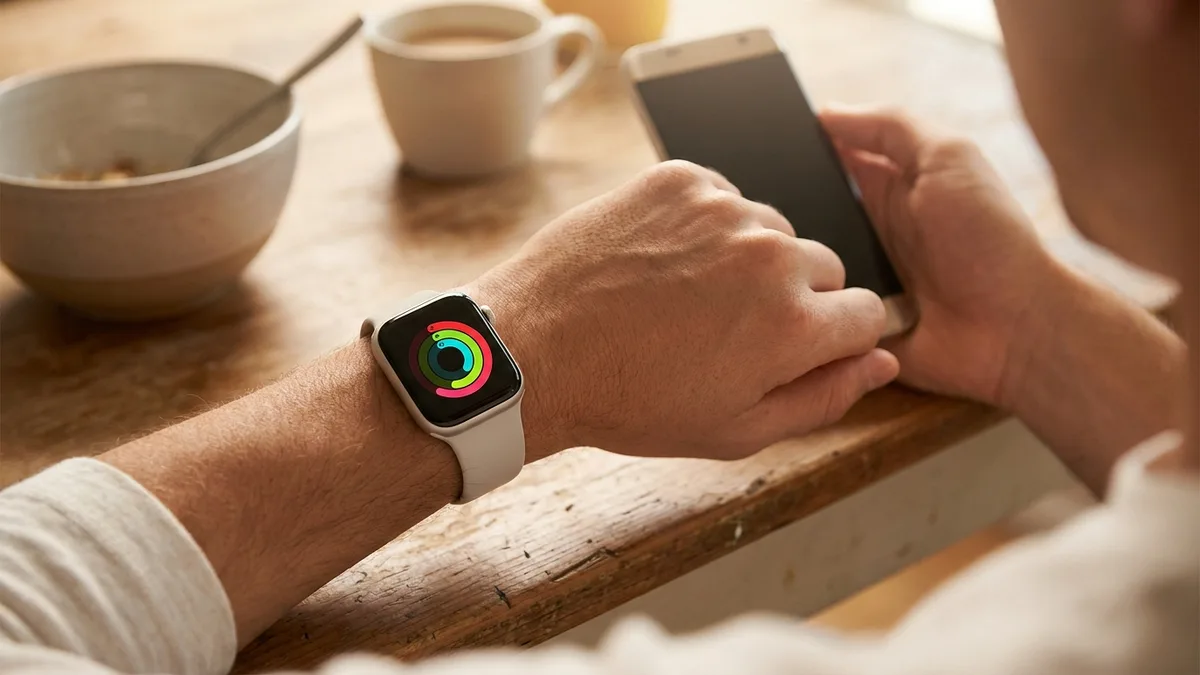
Livity Review (2026): The Best Recovery App for Apple Watch?
Livity reads your Apple Watch and Garmin data to deliver a daily recovery score, body battery, sleep stages, and HRV trends — no extra hardware, no account, no data leaving your phone. Here's our full review.

Bevel Review (2026): Is the Priciest Health App Worth It?
Bevel pulls recovery, sleep, strain, and nutrition into one clean dashboard and reads Apple Watch, Oura, Garmin, and Fitbit data. It's also the most expensive app in its category. Here's our honest review.