The Best Water Tracking Apps of 2026
How do we vet apps & products? Learn more.
Drinking enough water is one of the simplest health habits there is — and one of the easiest to forget. By the time you feel thirsty, you are already mildly dehydrated, and a long day at a desk or on your feet can pass without a single glass. That is the entire reason water tracking apps exist: they turn a vague intention into a visible goal, a reminder, and a small daily win.
The good news is that you do not need a smart water bottle or any new hardware. A free app on the phone in your pocket can nudge you, count your intake, and feed the data into Apple Health alongside your sleep and steps. The bad news is that the App Store is flooded with near-identical water trackers, many stuffed with ads and aggressive paywalls.
We tested the leading hydration apps of 2026 on how fast they are to log, how smart their reminders feel, how cleanly they sync with Apple Health and Apple Watch, and how much they hold back behind a subscription. Here is what is genuinely worth installing.
| Best overall | WaterMinder |
| Best free / gamified | Waterllama |
| Best on Android | Hydro Coach |
| Typical premium cost | ~$1-3/mo or a one-time lifetime unlock |
| Apple Health sync | Supported by every pick |
| Hardware required | None — phone (and optional watch) only |
What makes a good water tracking app
Before the picks, it helps to know what actually separates a great hydration app from a forgettable one. After a week of daily logging across all of them, four things mattered:
- Logging speed. You will do this many times a day. The best apps log a glass in one tap from a widget, the watch, or the lock screen. If it takes more than two taps, you will quit.
- Smart reminders. A flat "drink water every 2 hours" ping gets ignored fast. The better apps space reminders around your goal, your wake time, and what you have already logged.
- A personalized goal. A good target is based on your weight, activity, and climate — not a generic 8 glasses for everyone.
- Clean Apple Health sync. Your water data is more useful when it lives with the rest of your health picture. Every app here writes to Apple Health, but the smoothness varies.
With that lens, here is how the field stacks up.
Editor's Choice |  |  | 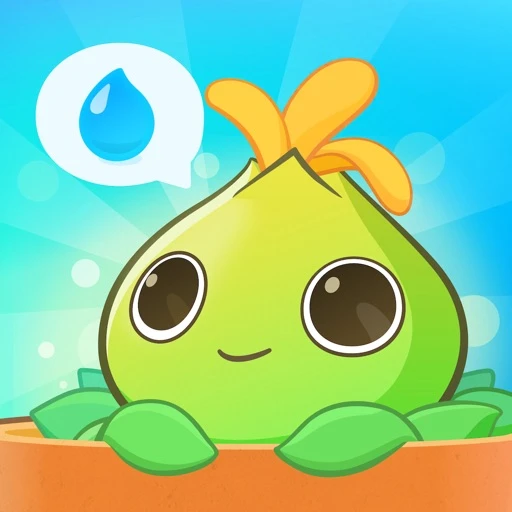 | Apple Health (built-in) | |
|---|---|---|---|---|---|
| Brand | WaterMinder | Waterllama | Hydro Coach | Plant Nanny | Apple Health (built-in) |
| Rating | 4.7 / 5 | 4.6 / 5 | 4.4 / 5 | 4.3 / 5 | 4.0 / 5 |
| Key features |
|
|
|
|
|
| Pros |
|
|
|
|
|
| Cons |
|
|
|
|
|
| Price | Free; Premium from ~$2.99/mo or ~$29.99 lifetime | Free; Premium ~$0.99/mo or ~$9.99/yr (lifetime available) | Free; Pro — a paid upgrade (monthly, annual, or one-time lifetime) | Free; offers paid in-app upgrades and a one-time unlock | Free (included with iPhone) |
| View WaterMinder | View Waterllama | View Hydro Coach | View Plant Nanny | About Apple Health |
The best water tracking apps of 2026
1. WaterMinder — best overall
WaterMinder is the app most people should install. It nails the unglamorous fundamentals: a personalized daily goal calculated from your weight and activity, smart reminders you can fully customize, and the fastest logging of any app we tested. A glass goes in with one tap from a home or lock screen widget, or straight from a standalone Apple Watch app with complications.
It is also the most platform-complete pick — available on iPhone, iPad, Mac, Apple Watch, and Android — with reliable two-way Apple Health and Google Fit sync. The core experience is free; a premium tier (around $2.99/month, with a roughly $29.99 lifetime option) unlocks the deepest statistics and the most granular reminder scheduling. The lifetime unlock is the standout value here: pay once and you are done.
The only real knock is that its best analytics sit behind that paywall, and the experience is at its most polished on Apple devices. But for sheer reliability and speed, nothing else matched it.
WaterMinder
- Personalized daily goal from weight and activity
- Apple Health and Google Fit sync
- Standalone Apple Watch app with complications
- Home and lock screen widgets
- Smart, customizable reminders
- Custom drinks and cup sizes
Our Rating:4.7
Pros
- Best-in-class Apple Watch and widget support
- Clean, fast logging in one or two taps
- Reliable two-way Apple Health sync
- Affordable lifetime unlock option
Cons
- Deepest stats and reminder controls are paywalled
- Cross-platform but most polished on Apple
2. Waterllama — best free and most motivating
If a plain progress bar does not move you, Waterllama might. It wraps hydration in a cheerful llama character, streaks, and a genuinely generous free tier — reminders, an Apple Watch app, a goal calculator, lock screen widgets, and Apple Health sync all cost nothing. Premium (around $0.99/month or $9.99/year, with a lifetime option) adds 150+ beverages, custom drinks, and history editing.
It is the app testers kept opening for fun rather than obligation, which is exactly what a habit tool should do. The two caveats: it is iOS only, so Android users are out, and the playful aesthetic will not suit everyone. If you want serious-looking analytics, this is not it — but if you want to actually stick with the habit, it is hard to beat.
Pros
- Genuinely fun and motivating design
- Generous free tier
- Cheap annual and lifetime pricing
Cons
- iOS only — no Android version
- Playful style is not for everyone
3. Hydro Coach — best on Android
Hydro Coach is the strongest choice for Android users, though it runs on iPhone too. Its signature trick is a weather-aware goal: with Pro, it watches the forecast and automatically raises your target when a heatwave rolls in. It also syncs with the widest range of platforms — Apple Health, Google Fit, Samsung Health, and Fitbit — and added Apple Watch support recently.
The free tier is functional and the Pro upgrade (a paid tier available monthly, annually, or as a one-time lifetime purchase) opens up unlimited history and detailed weekly and monthly stats. The interface looks a little dated next to WaterMinder and Waterllama, but the underlying feature set, especially on Android, is excellent.
Pros
- Strong on Android with broad data-sync support
- Weather-adjusted goals are a smart touch
- Functional generous free tier
Cons
- Interface looks dated next to rivals
- History and stats limited without Pro
4. Plant Nanny — best for habit-builders
Plant Nanny takes the gamification idea further: every glass you log waters a virtual plant, and neglecting your hydration lets it wilt. It is a clever guilt-free nudge that has kept the app popular for years, and it syncs your intake to Apple Health.
The trade-off is that the game layer adds a little overhead, and the hard analytics are thinner than WaterMinder's. But if you are the kind of person who responds to caring for something — and a wilting cartoon plant is enough to get you to the sink — it is one of the most effective motivators in the category.
5. Apple Health — the free default you may already have
Before you install anything, know that your iPhone can already log water. In the Apple Health app, water lives under Nutrition; it is hidden by default, but you can add it to Favorites and even build a Shortcuts automation to log a glass in one tap. It is free, account-free, and becomes the central store every other app reads from and writes to.
What it lacks is everything that drives the habit: no reminders, no personalized goal, no streaks, no encouragement. It is a ledger, not a coach. For most people the right move is to pick a dedicated app above and let it sync into Apple Health — that way you get the reminders and the unified data.
How to pick the right one
- Choose WaterMinder if you want the most reliable, fastest, best-supported tracker and do not mind a small premium (or the one-time lifetime unlock) for the deepest features.
- Choose Waterllama if you are on iOS, want the best free tier, and respond to streaks and a bit of personality.
- Choose Hydro Coach if you are on Android or want weather-adjusted goals and the broadest data-sync support.
- Choose Plant Nanny if a cute, caretaking game is what finally gets you to drink more.
- Use Apple Health alone if you just want a free manual log and do not need reminders.
Where hydration fits in the bigger picture
Hydration is one piece of a healthy routine, not the whole thing. Drinking enough water supports energy, focus, and recovery, but it works alongside sleep, training load, and stress — and those are the metrics that tell you whether your body is actually ready to perform on a given day. If you want to round out the picture, our guide to the best recovery and readiness apps of 2026 covers the tools that track sleep, HRV, and daily readiness, and for the broader landscape see our best health and fitness apps of 2026. Apple Watch owners who want recovery, sleep, and HRV scores from hardware they already own can also read our Livity review.
The honest takeaway: the best water tracking app is the one you will open every day. WaterMinder earns our top spot for getting out of the way and just working, but Waterllama and Plant Nanny prove that a little fun can be the difference between a habit that sticks and an app you delete by Friday. Pick the one whose nudge you will not ignore, let it sync to Apple Health, and let the daily goal do the rest.
Sources
- 1.Water Tracker by WaterMinder on the App Store— Apple App Store, 2026
- 2.Water tracker Waterllama on the App Store— Apple App Store, 2026
- 3.Water Tracker - Hydro Coach on Google Play— Google Play, 2026
- 4.How to Log Water Intake on Your iPhone— MakeUseOf, 2026
Frequently Asked Questions
- Do I really need a water tracking app?
- Not strictly — your iPhone Health app can log water for free. But a dedicated app adds the two things that actually change behavior: smart reminders and a visible daily goal with streaks. If you forget to drink water during busy days, a reminder-driven app like WaterMinder or Waterllama is worth it.
- What is the best free water tracking app?
- Waterllama has the most generous and motivating free tier on iOS, with reminders, an Apple Watch app, streaks, and Apple Health sync at no cost. On Android, Hydro Coach is the strongest free option. Apple Health is also free but has no reminders or goals.
- Do these apps sync with Apple Health and Apple Watch?
- Yes. Every app in this guide writes to Apple Health, so your water intake appears alongside the rest of your health data. WaterMinder, Waterllama, and Hydro Coach all offer Apple Watch logging; WaterMinder has the most complete watch app and widget set.
- How much water should I drink per day?
- A common rule of thumb is around 2-3 liters (roughly 8-12 cups), but the right number depends on your body size, activity level, climate, and overall diet. Most of these apps calculate a personalized goal from your weight and activity; Hydro Coach even raises the target on hot days.
- Are water tracking apps accurate?
- They track what you log, not what you physically drink — accuracy depends on your consistency. None of these apps measure hydration biologically. They are habit and reminder tools, and the best one is the one you will actually open every day.
Related reading
- Apple Health & Fitness (native)
The Best Step Counter Apps for iPhone & Apple Watch in 2026
Your iPhone already counts your steps — but the built-in numbers are easy to miss and not always accurate. Here are the best step counter apps of 2026, ranked on accuracy, motivation, price and design.

- Apple Watch (native Sleep)
The Best Sleep Tracking Apps for Apple Watch in 2026
Apple’s native Sleep Score is finally good — so do you still need a third-party app? We rank the best sleep tracking apps for Apple Watch in 2026, from AutoSleep to Livity, on detail, price and what you’ll actually do with the data.
The Must-Have Apple Watch Apps in 2026
Your Apple Watch is only as good as the apps on it. These are the essentials we install first in 2026 — starting with the one health app that turns the watch into a complete tracker.